Fxiaoke Developer Manual Fxiaoke Developer Manual
  • APL Development Manual
  • PWC Development Manual
  • OpenAPI Documentation
  • Custom Components (PC)
  • Custom Components (Mini Program)
  • Custom Plugins (PC)
  • Custom Plugins (Mini Program)
  • Third-party Integration Plugins (H5)
  • API (PC)
  • API (Mini Program)
  • Fx DevTools
Update Log
  • 简体中文
  • English
  • Custom Components (PC)
  • Custom Components (Mini Program)
  • Custom Plugins (PC)
  • Custom Plugins (Mini Program)
  • Third-party Integration Plugins (H5)
  • API (PC)
  • API (Mini Program)
  • Fx DevTools
Update Log
  • 简体中文
  • English
  • Getting Started

  • Components

  • Examples

  • FAQ

    • Custom Component's Data Property
    • How to Reuse Custom Components
      • How to Compatible with PC and Mobile
      • How to Debug Custom Components
      • iframe Embedding Issues
    Table of Contents

    How to Reuse Custom Components

    # How to Reuse Custom Components

    This section explains how to reuse custom components to reduce code volume and better manage/maintain the component system.

    # Prerequisites

    Before learning how to debug custom components, you should know:

    1. Custom components are developed based on the JavaScript ecosystem
    2. Custom components are developed based on the Vue ecosystem

    # Component Reuse Example

    Assume the original component source code is:

    <template>  
        <div>  
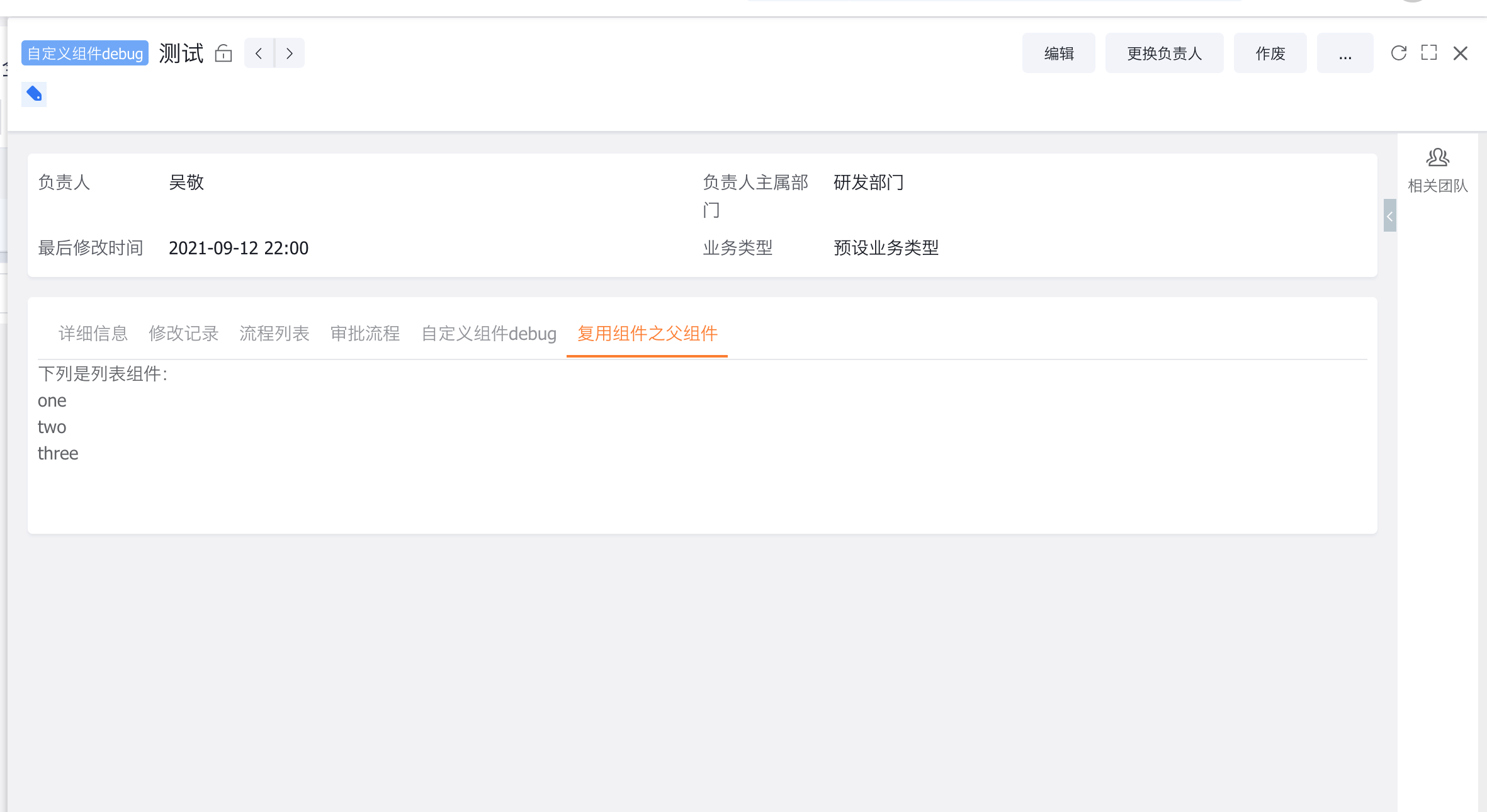
            The following is a list component:  
            <ul>  
                <li v-for="item in list">{{item}}</li>  
            </ul>  
        </div>  
    </template>  
    <script>  
        export default {  
            data(){  
                return {  
                    list: ['one', 'two', 'three']  
                }  
            }  
        }  
    </script>  
    

    We'll split the component into:

    Parent Component:

    <template>  
        <div>  
            The following is a list component:  
            <AsyncComponent apiName="component_TSrsm__c" :data="{list: this.list}"></AsyncComponent>  
        </div>  
    </template>  
    <script>  
        export default {  
            components: {  
                AsyncComponent: FxUI.component.get('AsyncComponent')  
            },  
            data() {  
                return {  
                    list: ['one', 'two', 'three']  
                }  
            }  
        }  
    </script>  
    

    Reusable Component:

    <template>  
        <ul>  
            <li v-for="item in data.list">{{item}}</li>  
        </ul>  
    </template>  
    <script>  
        export default {  
            props: ['data']  
        }  
    </script>  
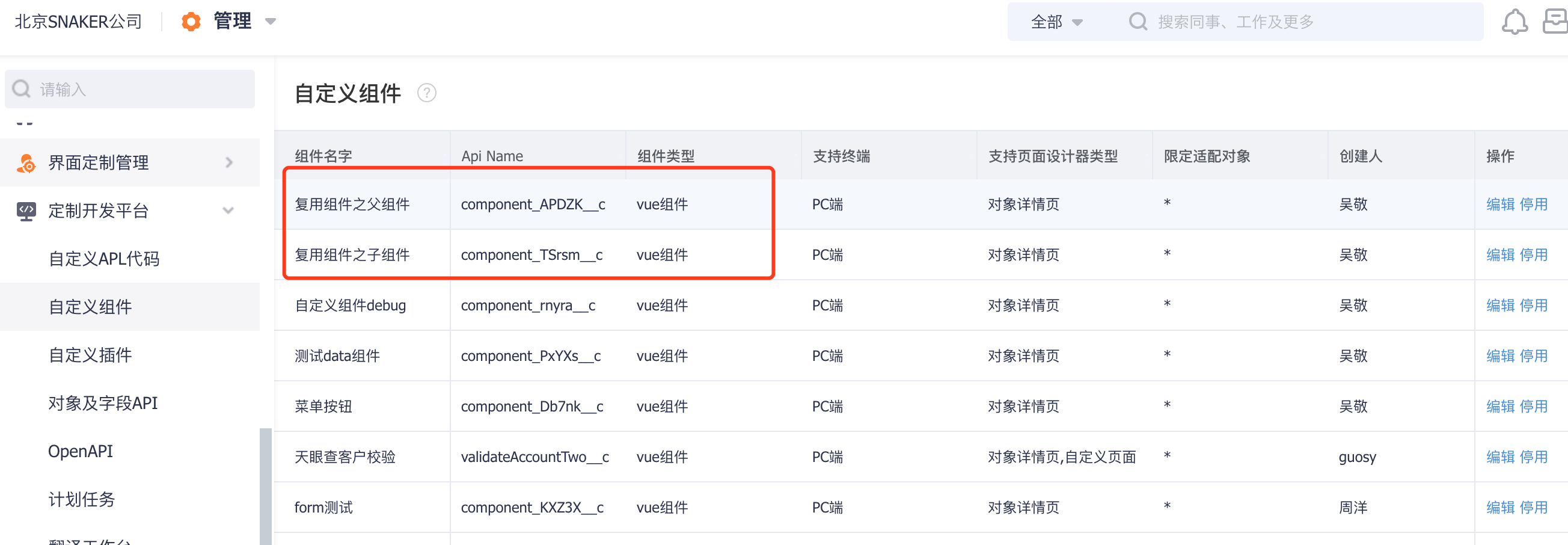
    

    senior-how-reuse-1

    senior-how-reuse-2

    Custom Component's Data Property
    How to Compatible with PC and Mobile

    ← Custom Component's Data Property How to Compatible with PC and Mobile→

    • 跟随系统
    • 浅色模式
    • 深色模式
    • 阅读模式