How to Debug Custom Components
# How to Debug Custom Components
This section explains how to debug custom components to help developers quickly identify and resolve issues.
# Prerequisites
Before learning how to debug custom components, you should know:
- Custom components are developed based on the JavaScript ecosystem.
- Custom components are developed based on the Vue ecosystem.
# Debugging Tools
We recommend using the Chrome browser and its built-in DevTools for debugging (other non-WebKit browsers offer similar tools with slightly different usage). For detailed instructions, click here (opens new window).
# Debugging JavaScript
To open the console:
- macOS: Press
Cmd + Option + Ior right-click and select Inspect. - Windows: Press
F12or right-click and select Inspect.
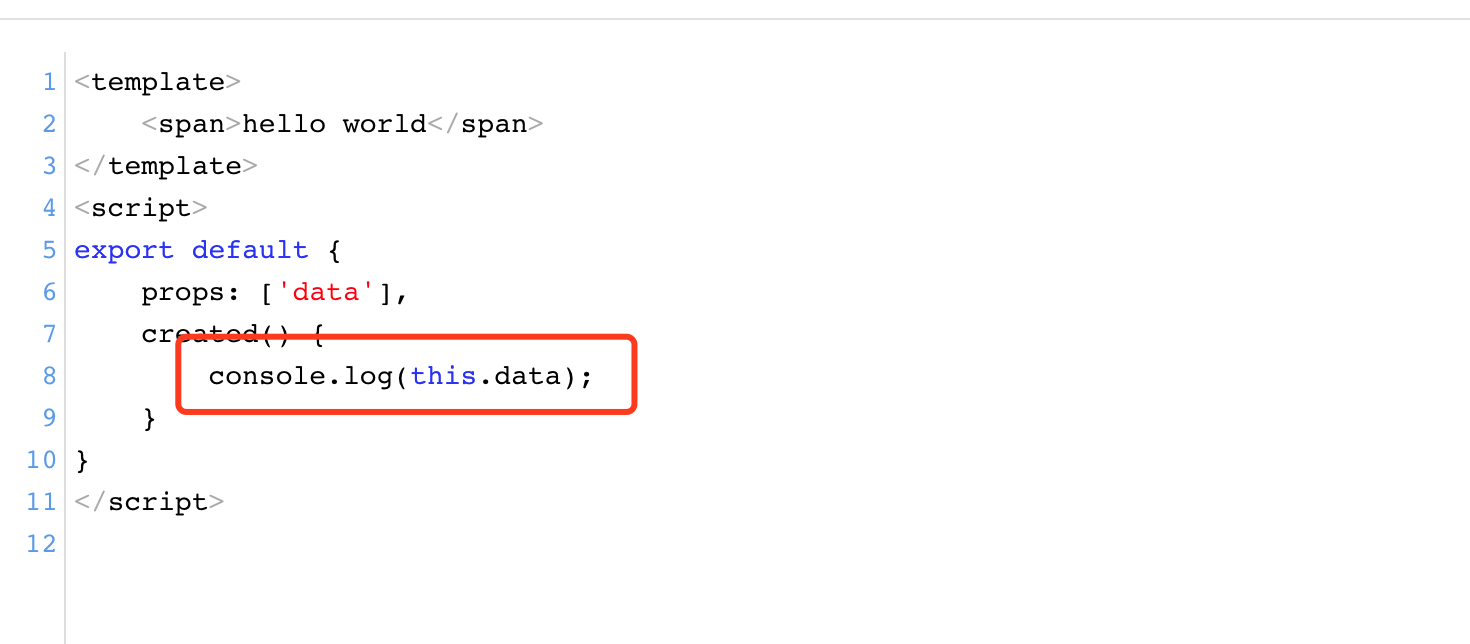
# Using console.log to Output Key Data
Add console.log in the Source Code
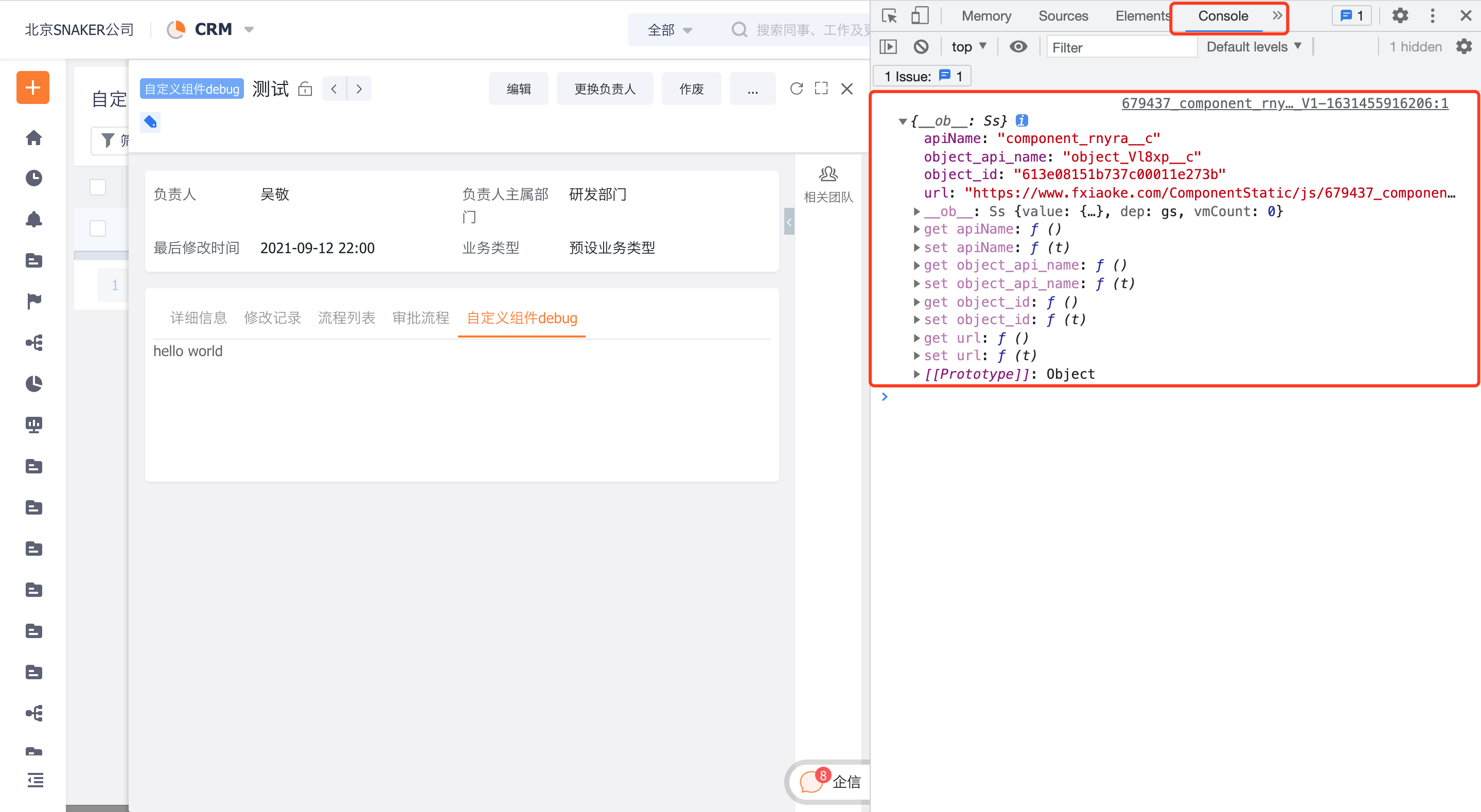
View Data in the Console Panel
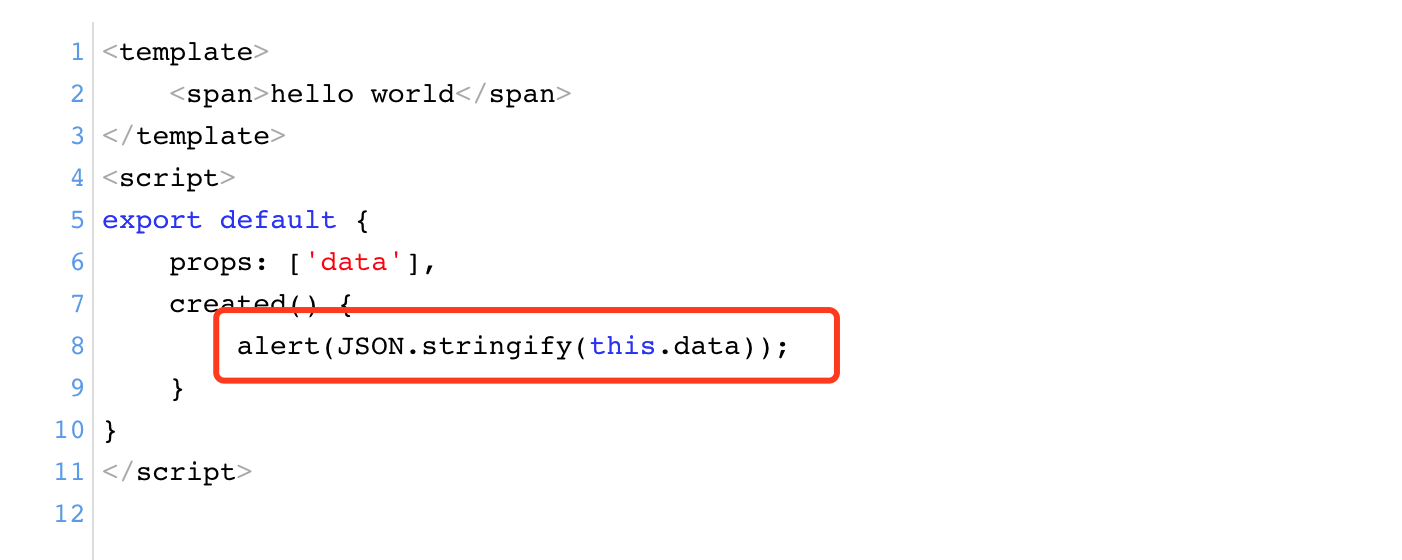
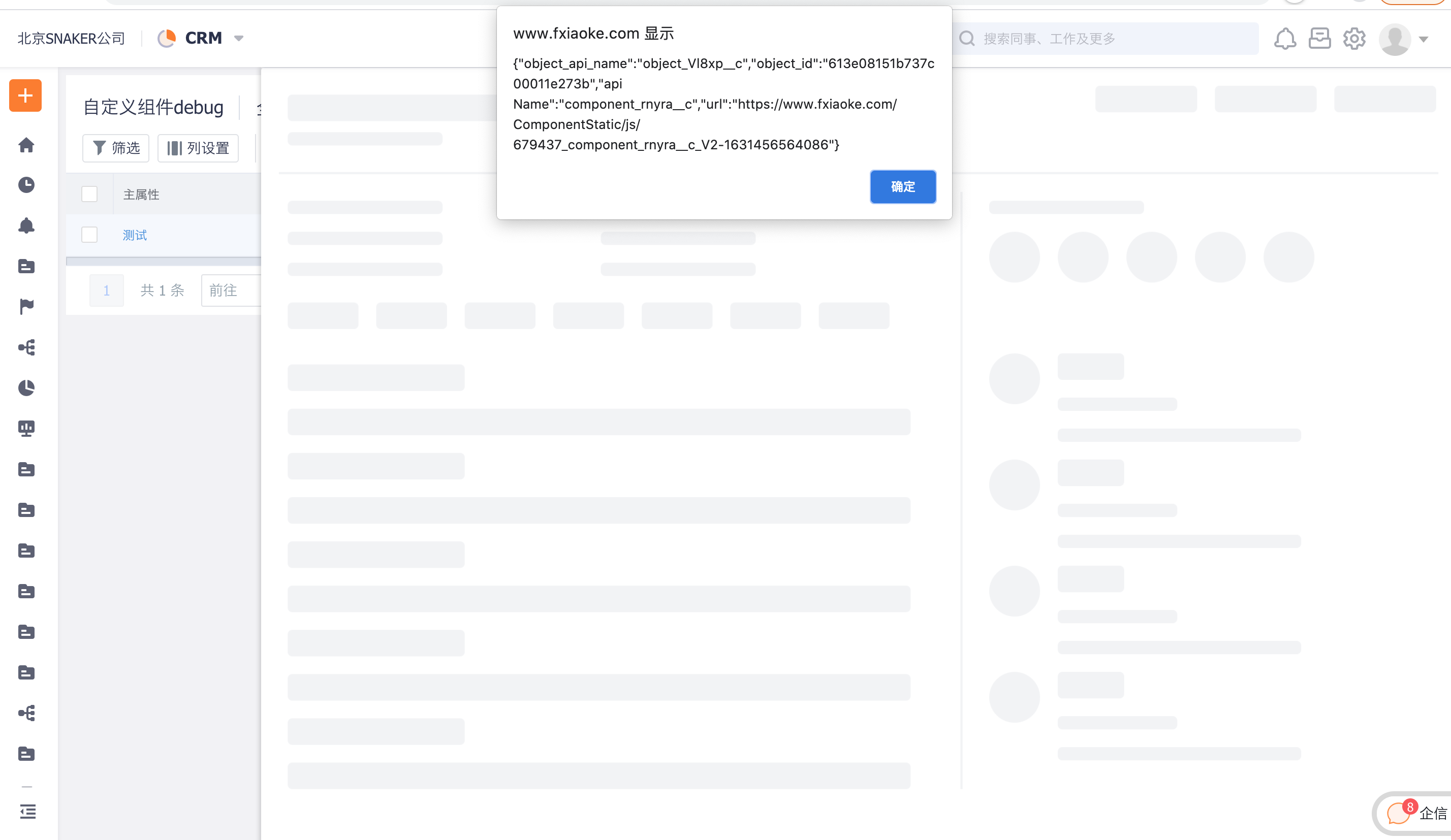
# Using alert to Output Key Data
Add alert in the Source Code
View Data in the View
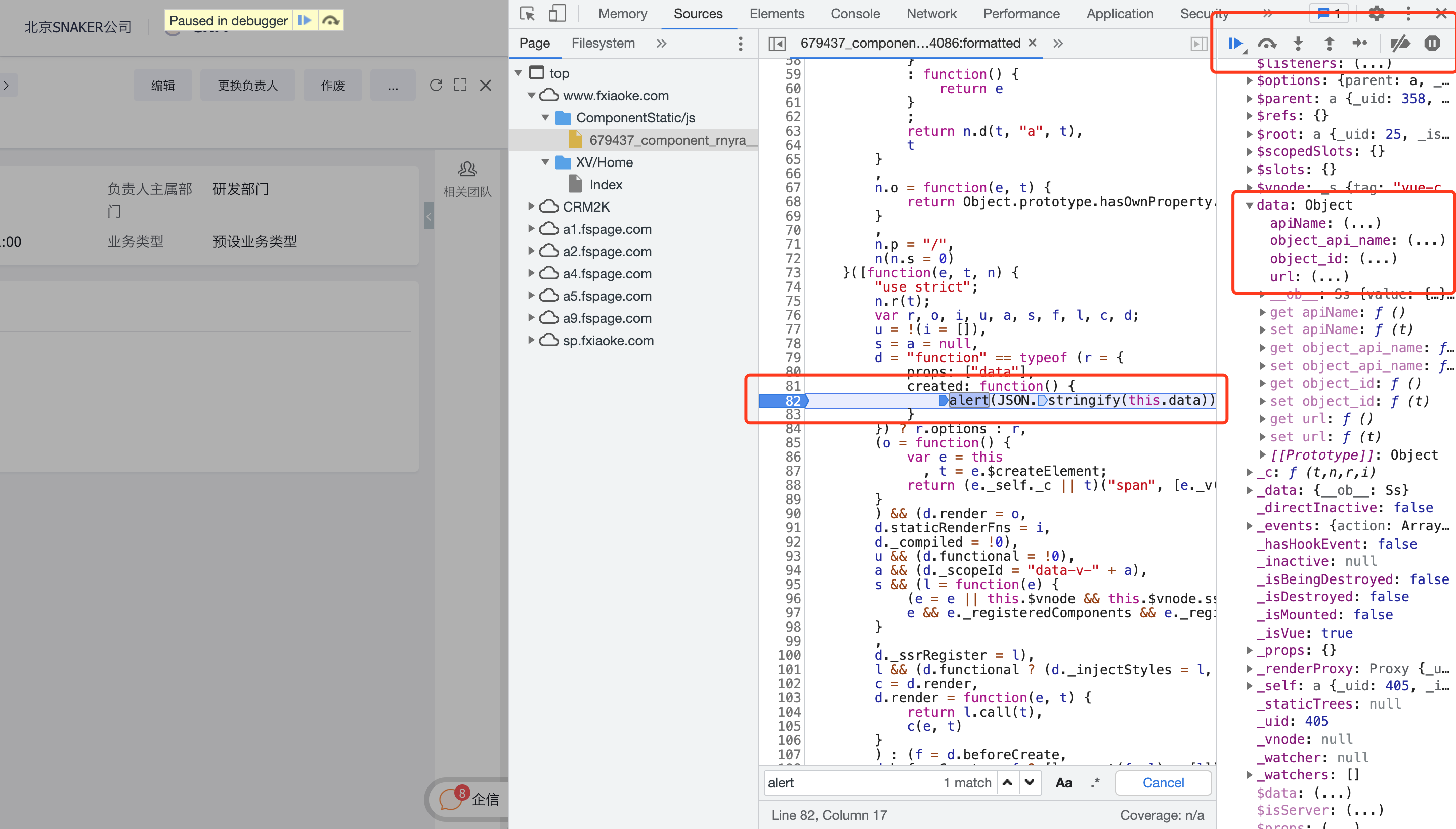
# Debugging via Source Code
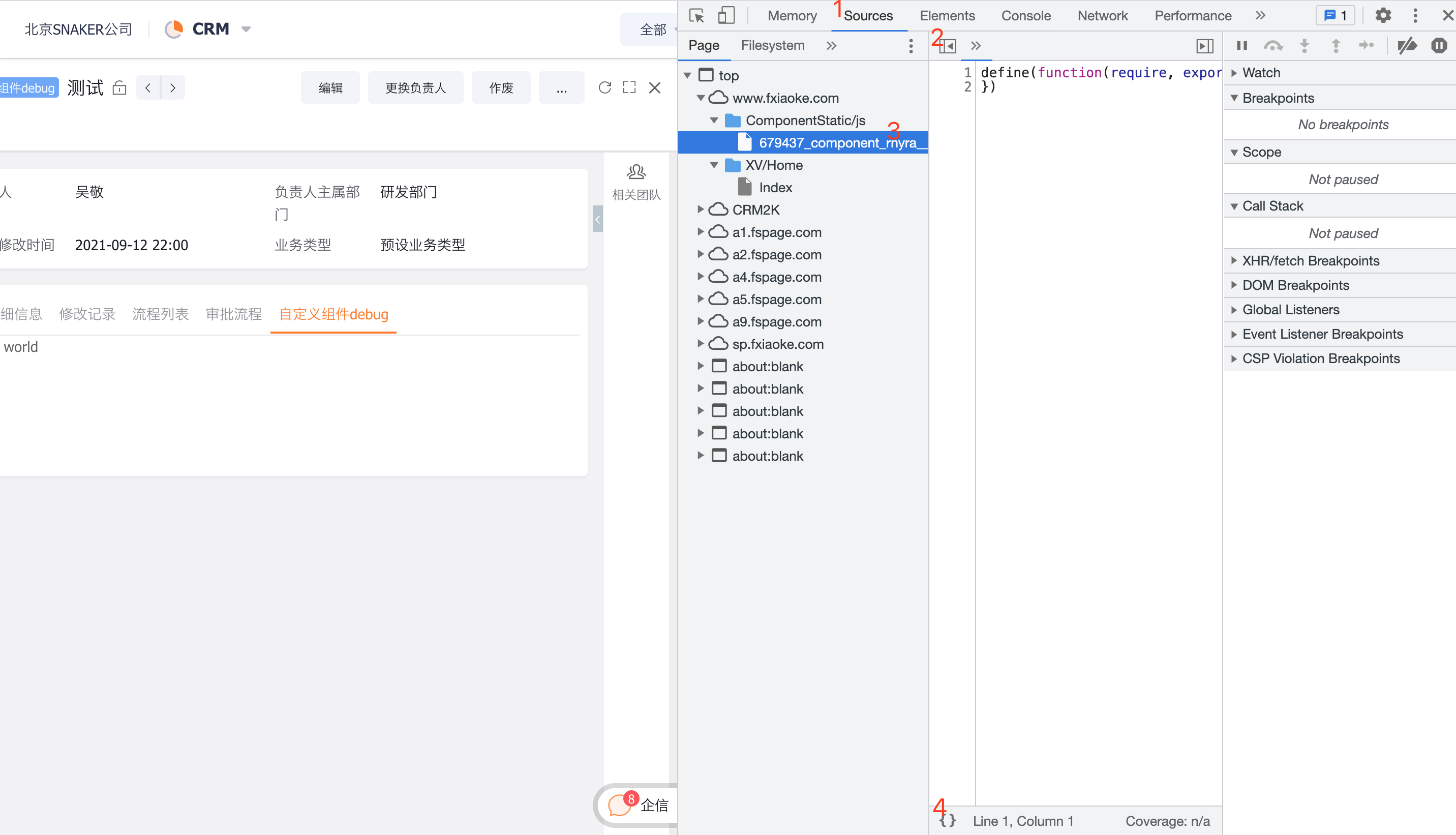
Locate the Source Code in the Sources Panel
Set a Breakpoint by Clicking the Line Number
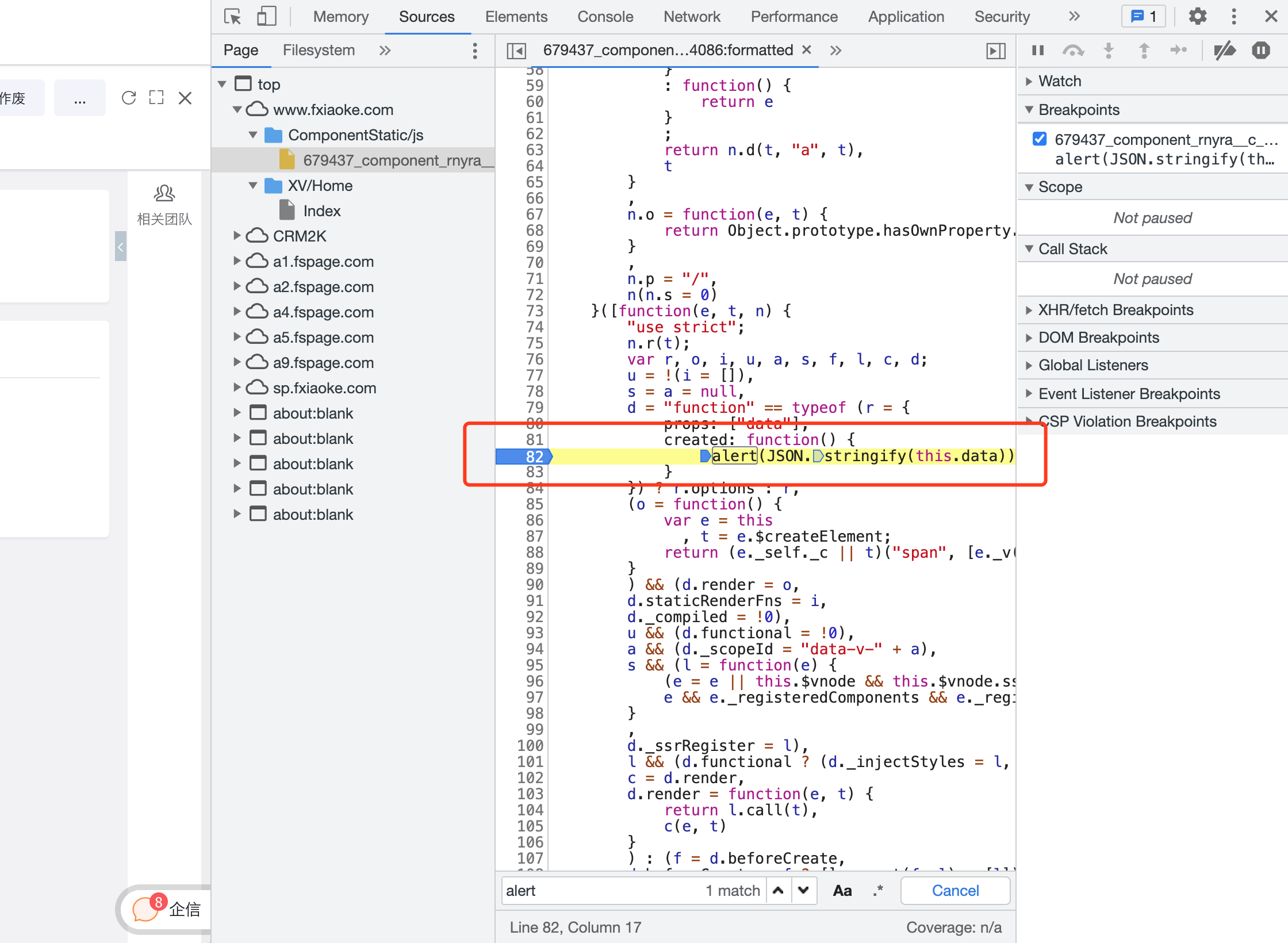
Trigger the Breakpoint by Refreshing the Page