
No Data Found in Person Object
Sometimes when using the Person Object, you may encounter issues where no data is found or incomplete data is retrieved. This occurs because the Person Object has query permission controls. Solutions:
# 1. Solution 1
Apply for Person Object API query permission through product grayscale. Contact Fxiaoke customer service to request this in the CRM product grayscale.
# 2. Solution 2
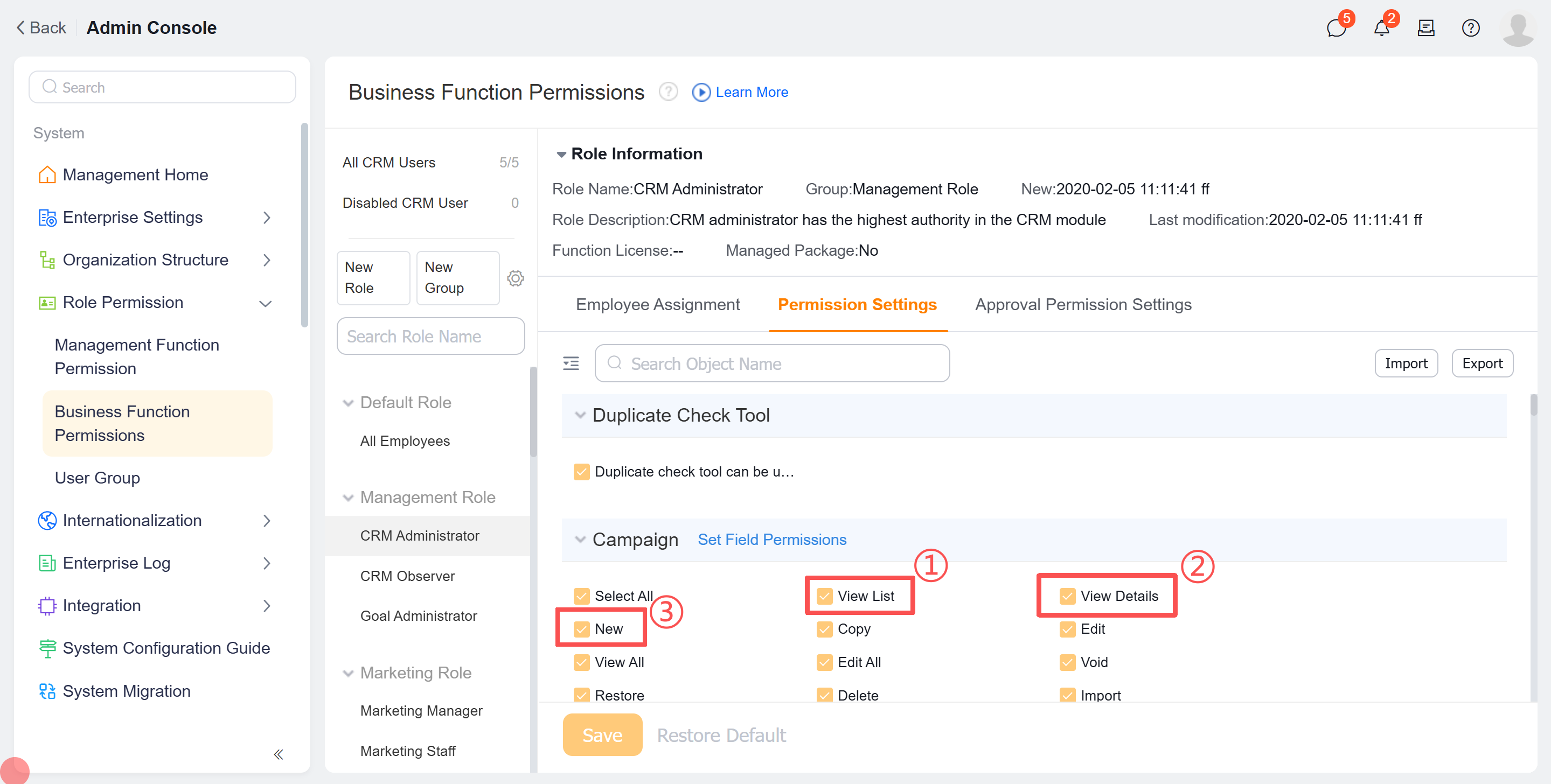
- Click ① to set list query API permissions
- Click ② to set detailed information query API permissions
- Click ③ to set data creation API permissions
Data sharing documentation: https://www.fxiaoke.com/mob/guide/crmdoc/src/7-1-3%E6%95%B0%E6%8D%AE%E6%9D%83%E9%99%90%E7%AE%A1%E7%90%86.html (opens new window)
Configure Person Object sharing rules:
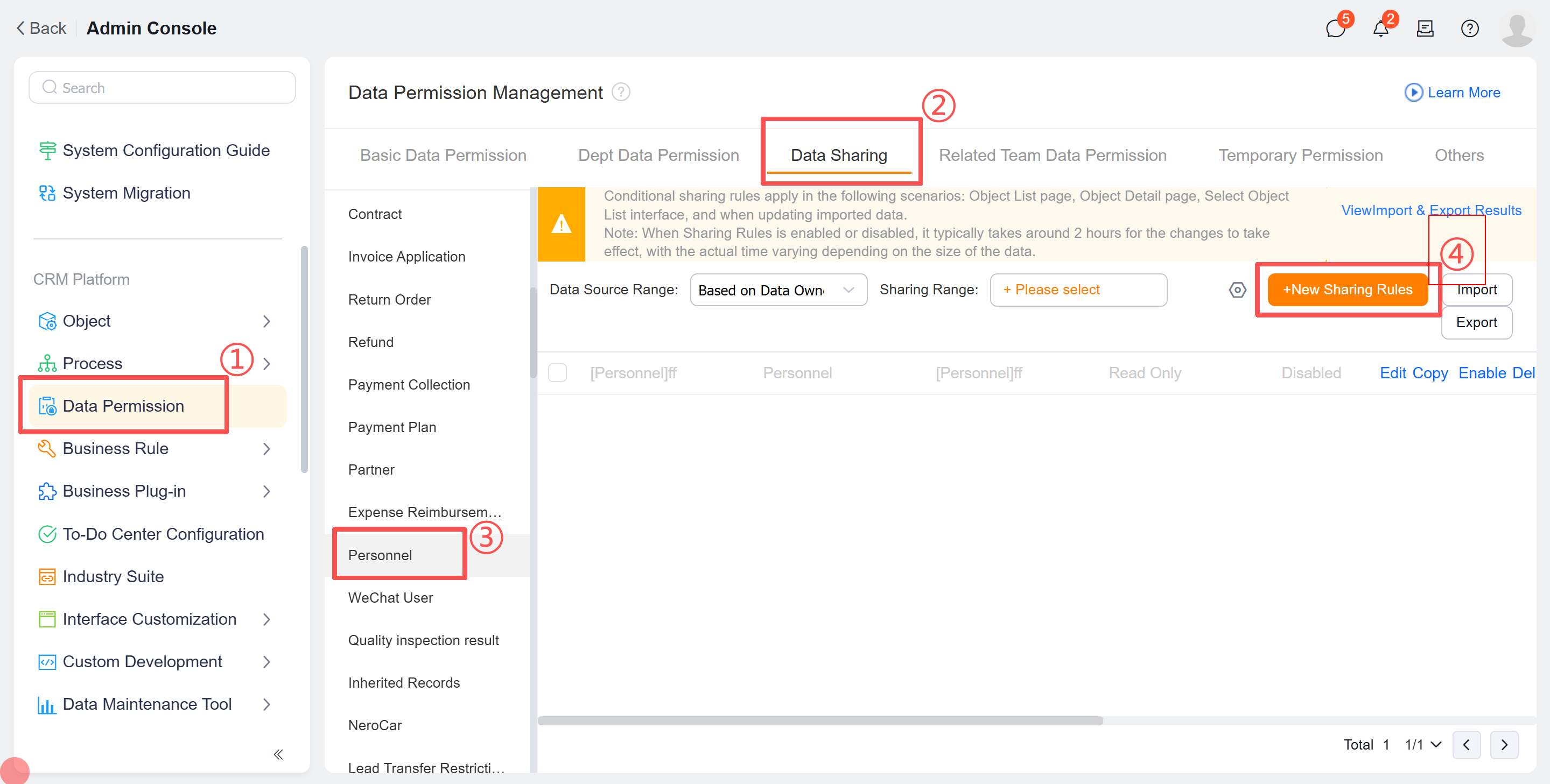
- Locate "Data Management Permissions"
- Click "Data Sharing"
- Scroll down to find "Person"
- Click "Create Sharing Rule"
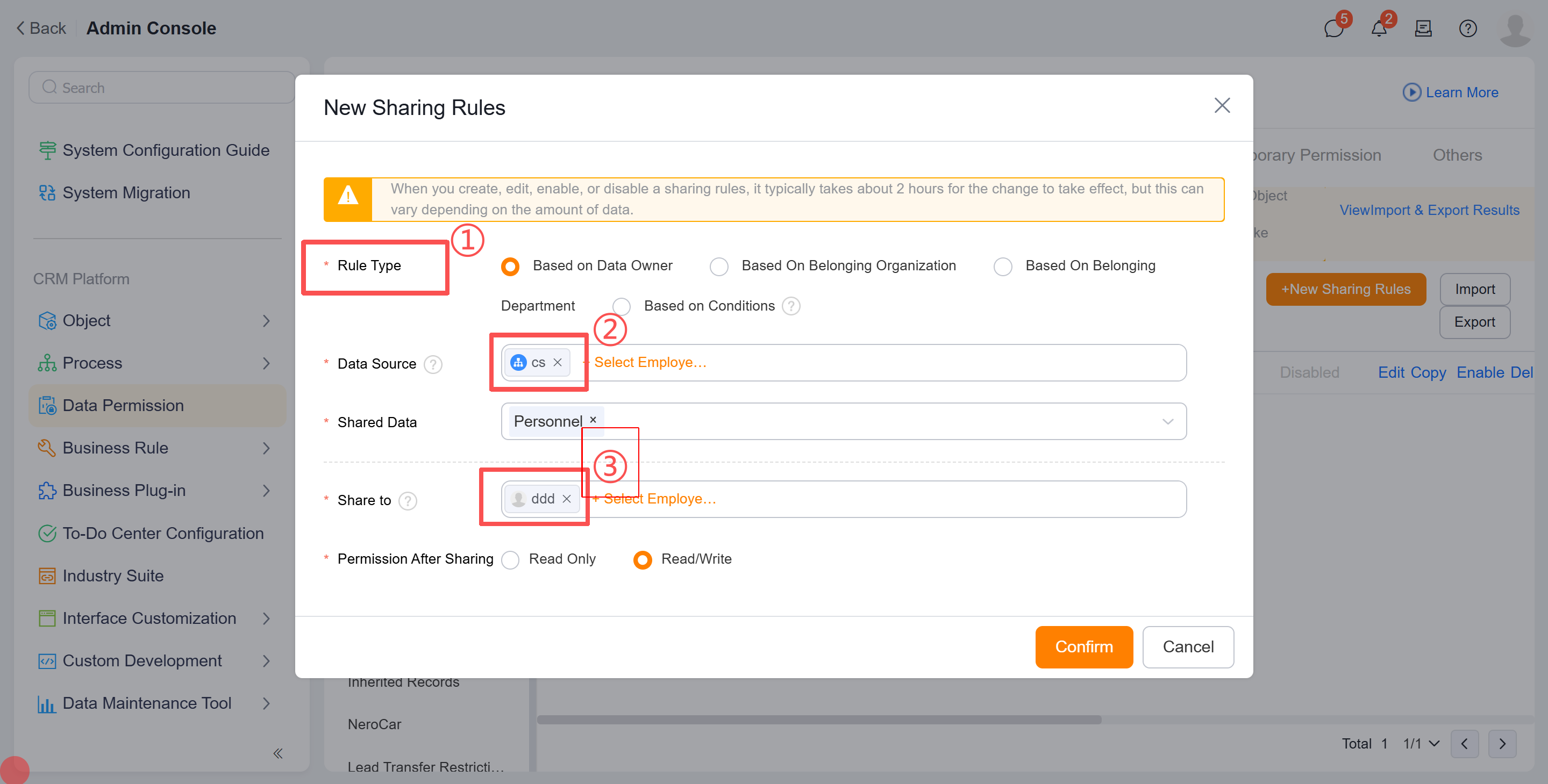
- Specify which personnel data will be shared
- Select the scope of shared personnel data
- Set who can view this data. If assigned to a specific person, the openAPI query must use either:
- x-fs-userid (New parameter method)
- currentOpenUserId (Old parameter method)
Otherwise, the shared data cannot be retrieved.
Configuration takes significant time to take effect. When logging in with the corresponding [openUserId], if data appears on the Person Object list page, the sharing rules are active and API queries will work.