
Quick Start
This guide helps developers quickly familiarize themselves with Fxiaoke Open Platform's API capabilities, master the usage workflow, and implement data retrieval and insertion operations.
# Step 1: Log in and Create a Custom Enterprise App
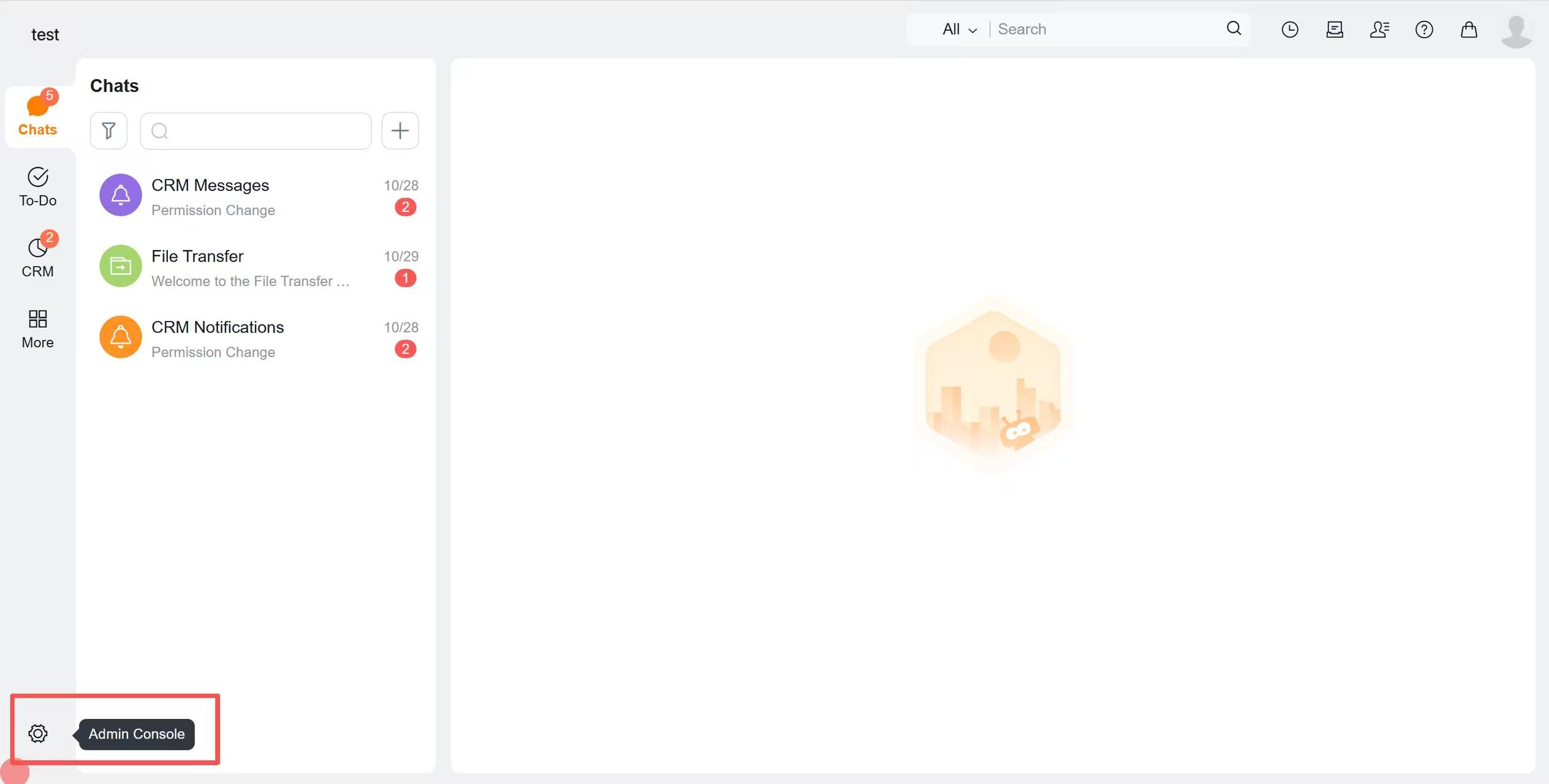
# 1. Log in to Fxiaoke web version and access the admin console
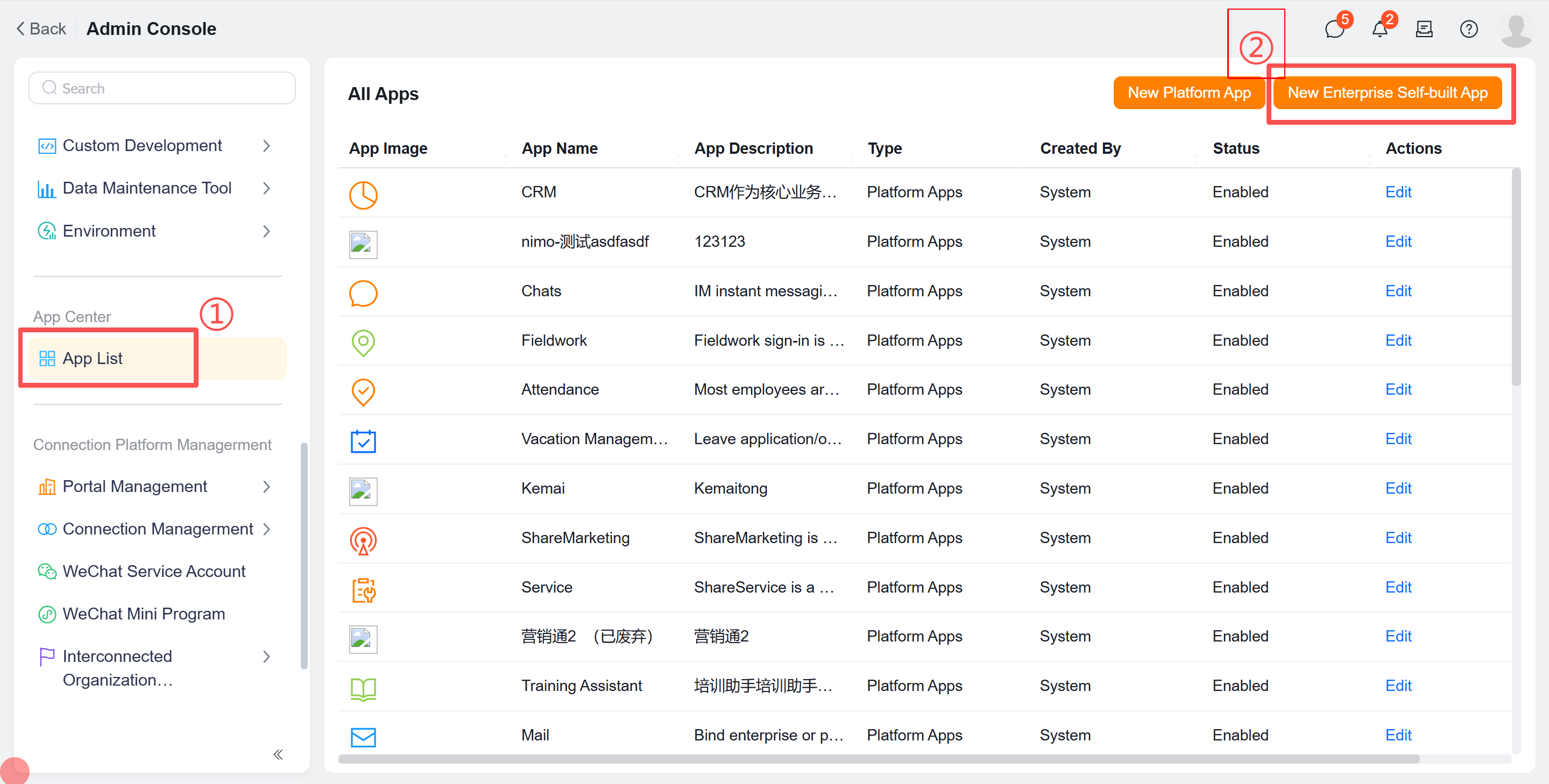
# 2. Navigate to "Application List" and click "Create Custom Enterprise App" in the upper right corner
# 3. Fill in the app information and save:
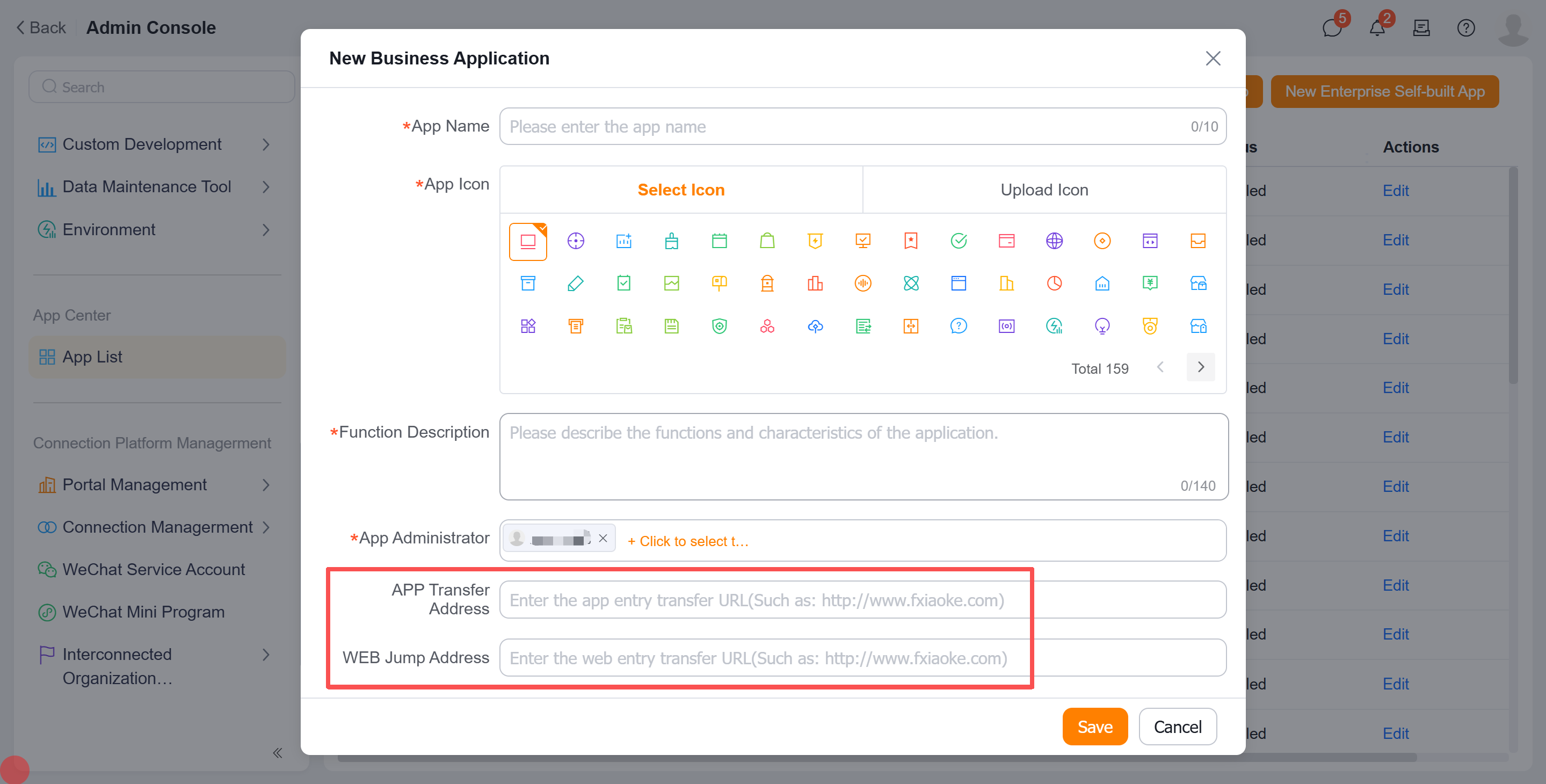
Either the APP Redirect URL or WEB Redirect URL is optional. If not available, you may default to https://www.fxiaoke.com.
APP Redirect URL
When clicking an app in the "Applications" section, it will redirect to the configured "APP Redirect URL".
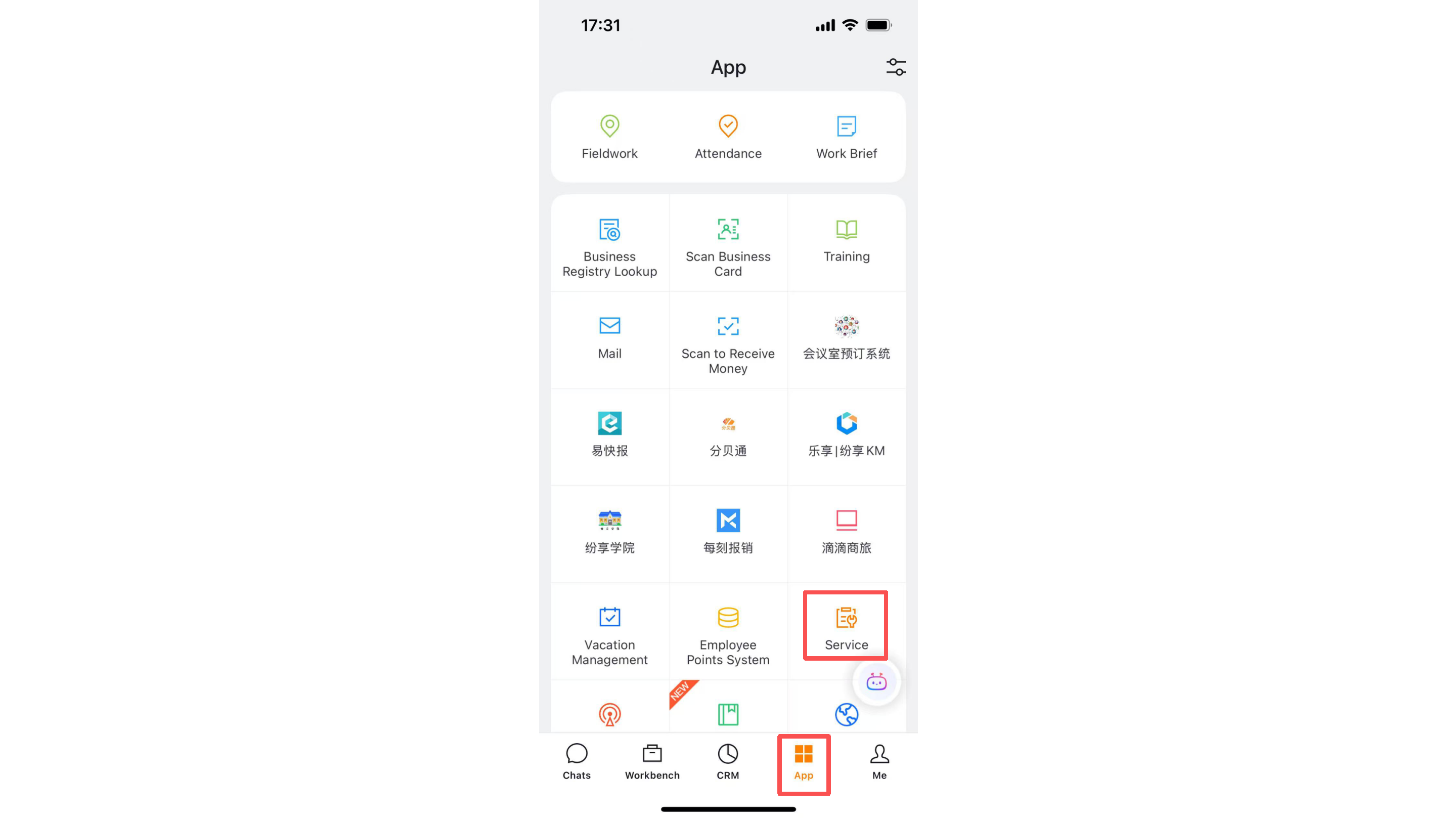
WEB Redirect URL
Find the target app under "More" in the left sidebar, and it will redirect to the configured "WEB Redirect URL".
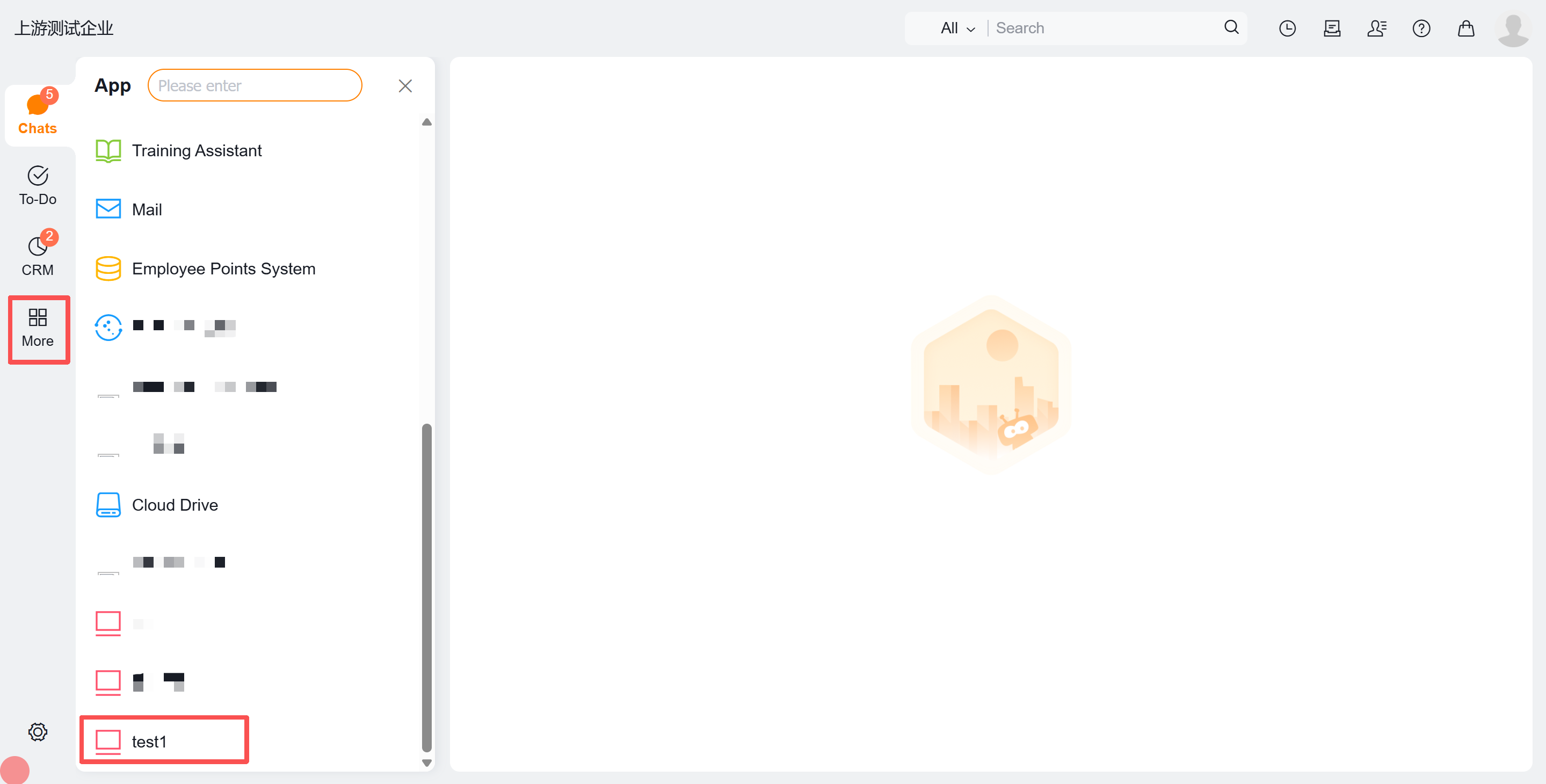
# 4. Enable Developer Mode
Developer mode must be enabled to use OpenAPI.
# 4.1 Access the custom app configuration page and enable:
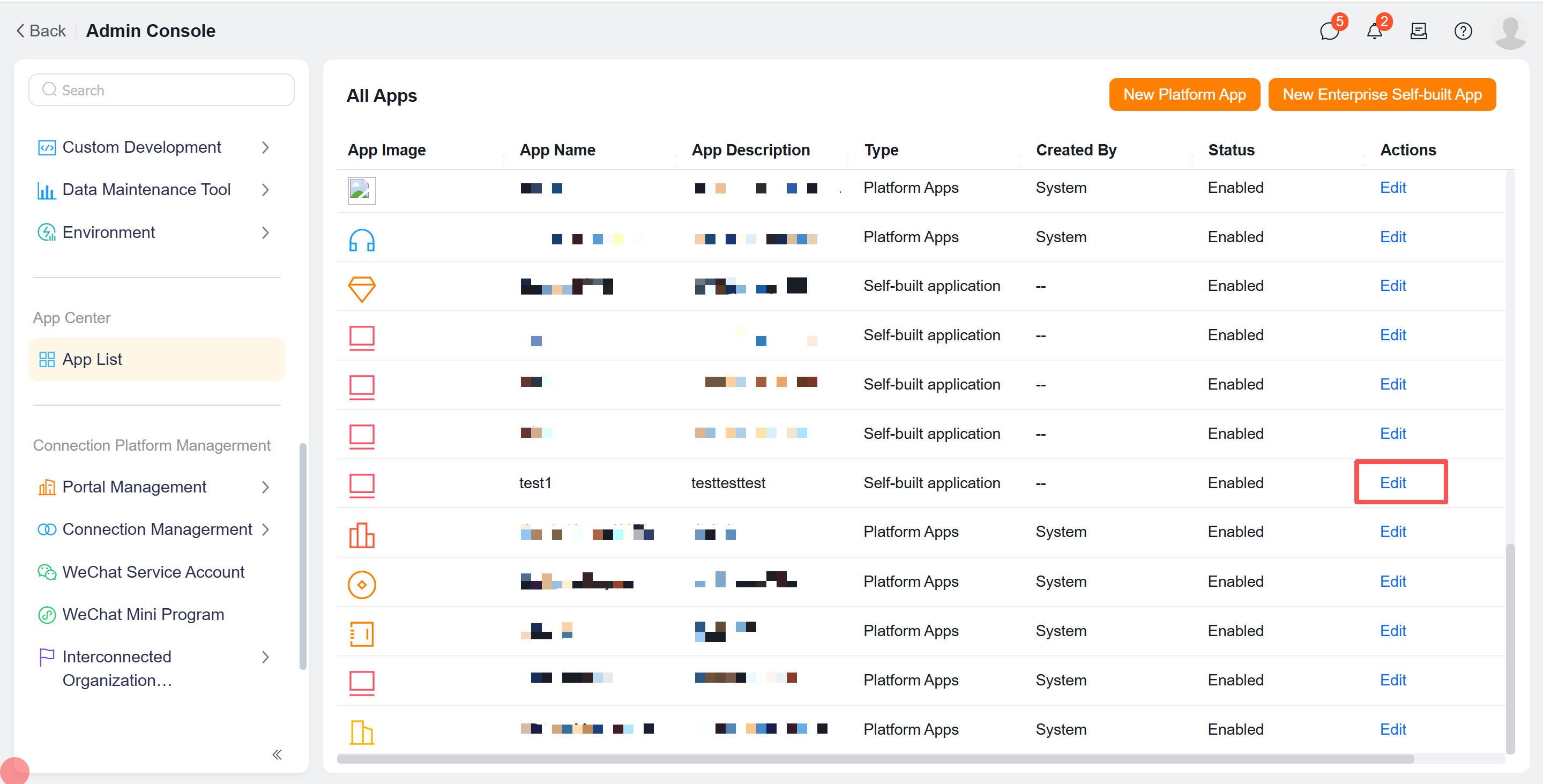
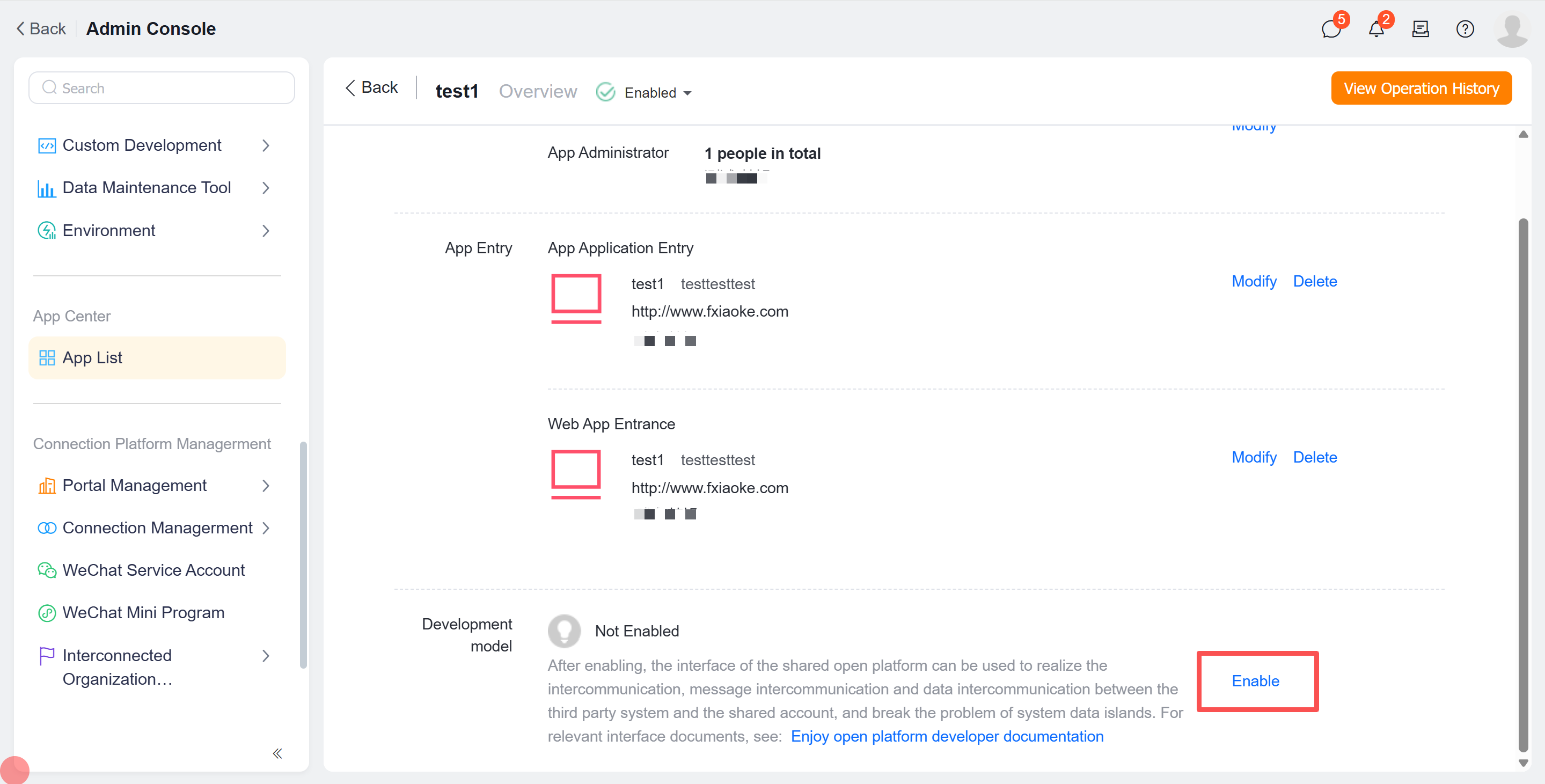
# 4.2 Configure required information:
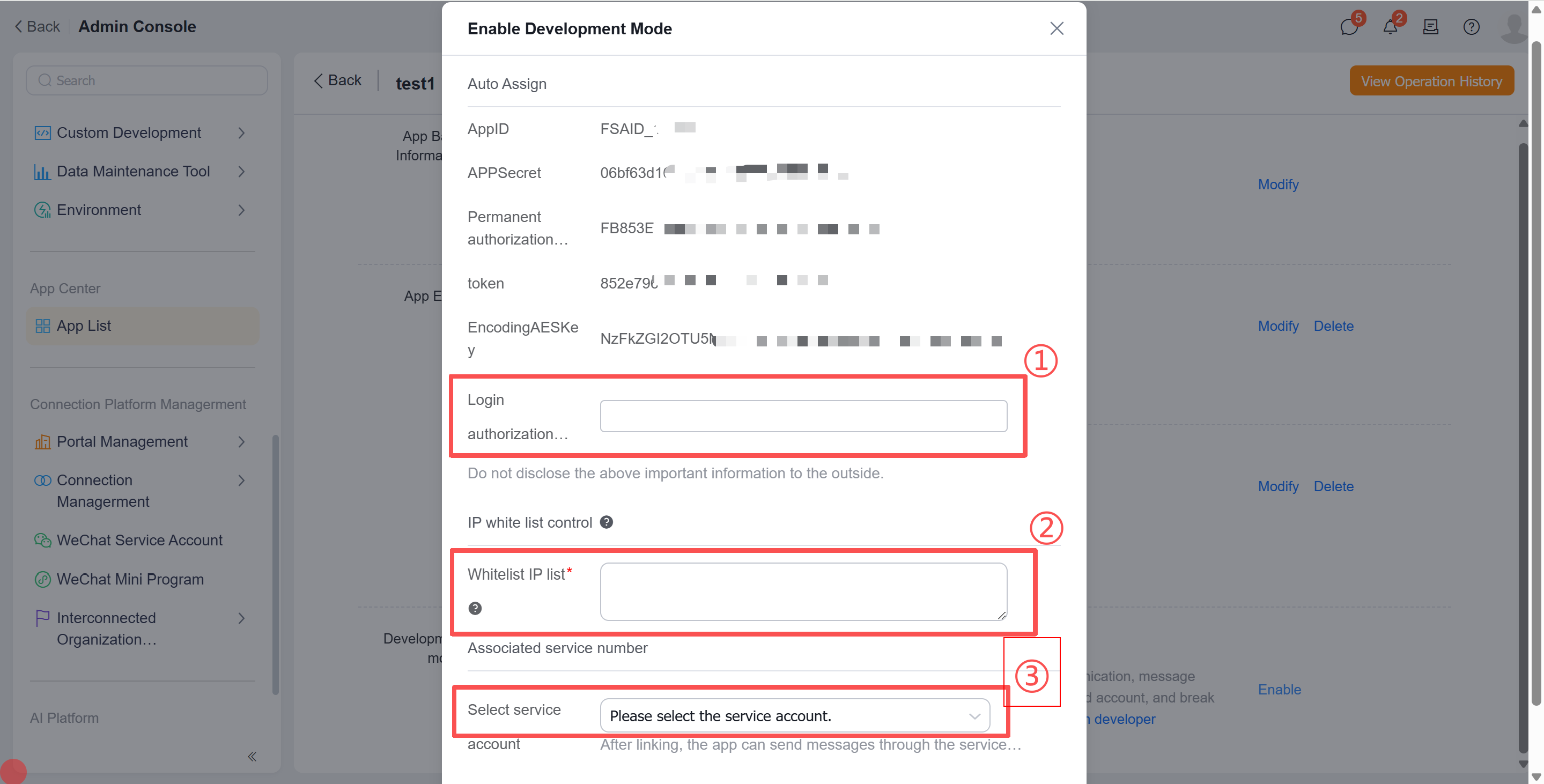
Authorization Initiation Domain: Enter your enterprise's third-party application domain (without http:// or https:// prefix). This serves as the identity verification for authorization requests. Example usage: Authorization Code Mode. Default to www.fxiaoke.com if no specific domain exists.
Configure allowed IP whitelist
Service Account (optional for enterprise messaging)
# 4.3 After confirmation, view the essential parameters for OpenAPI calls:
| Parameter | Description |
|---|---|
| appId | App ID (Enterprise Application ID) |
| appSecret | App Secret (Authentication Key) |
| permanentCode | Permanent Authorization Code |
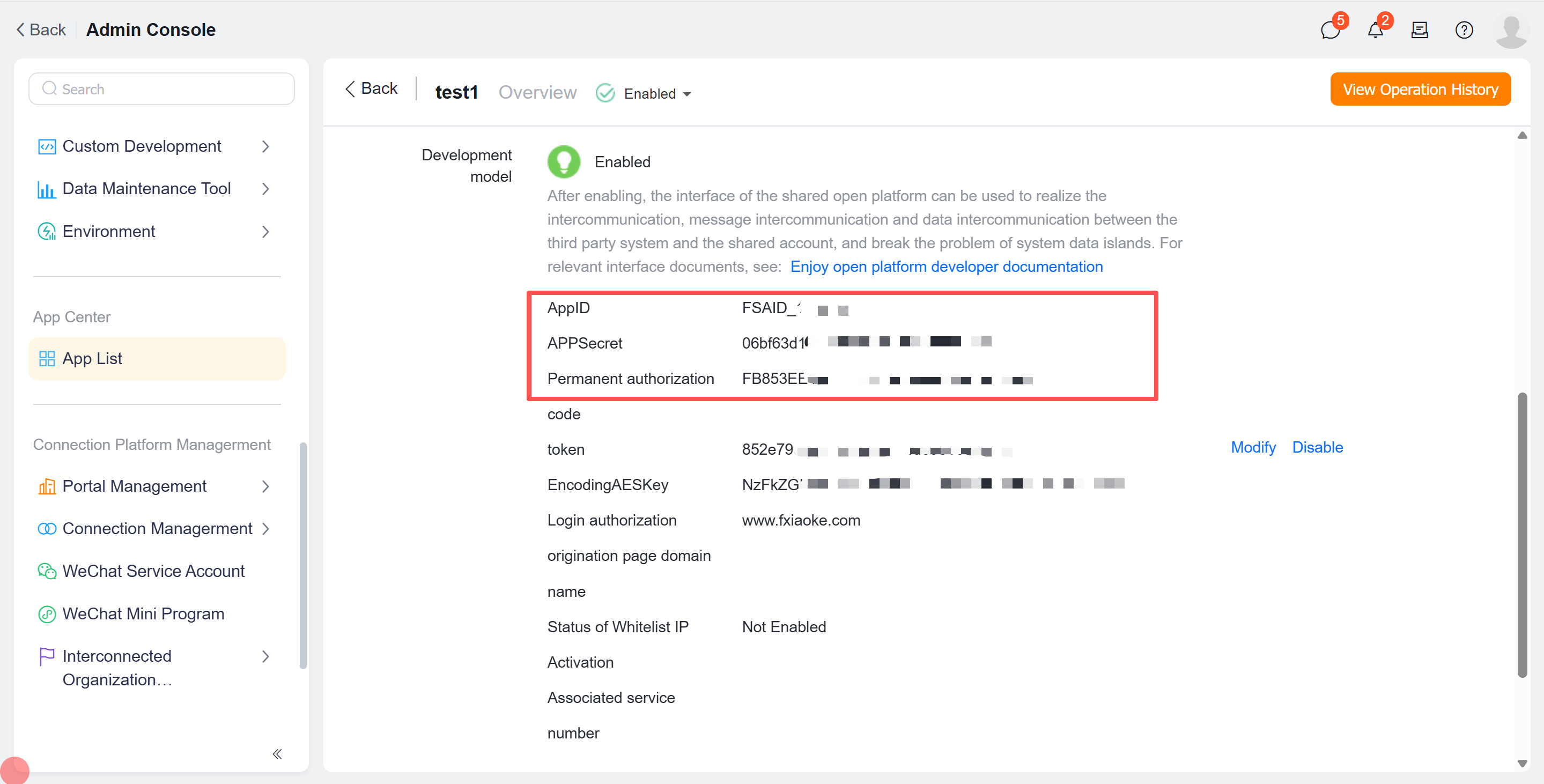
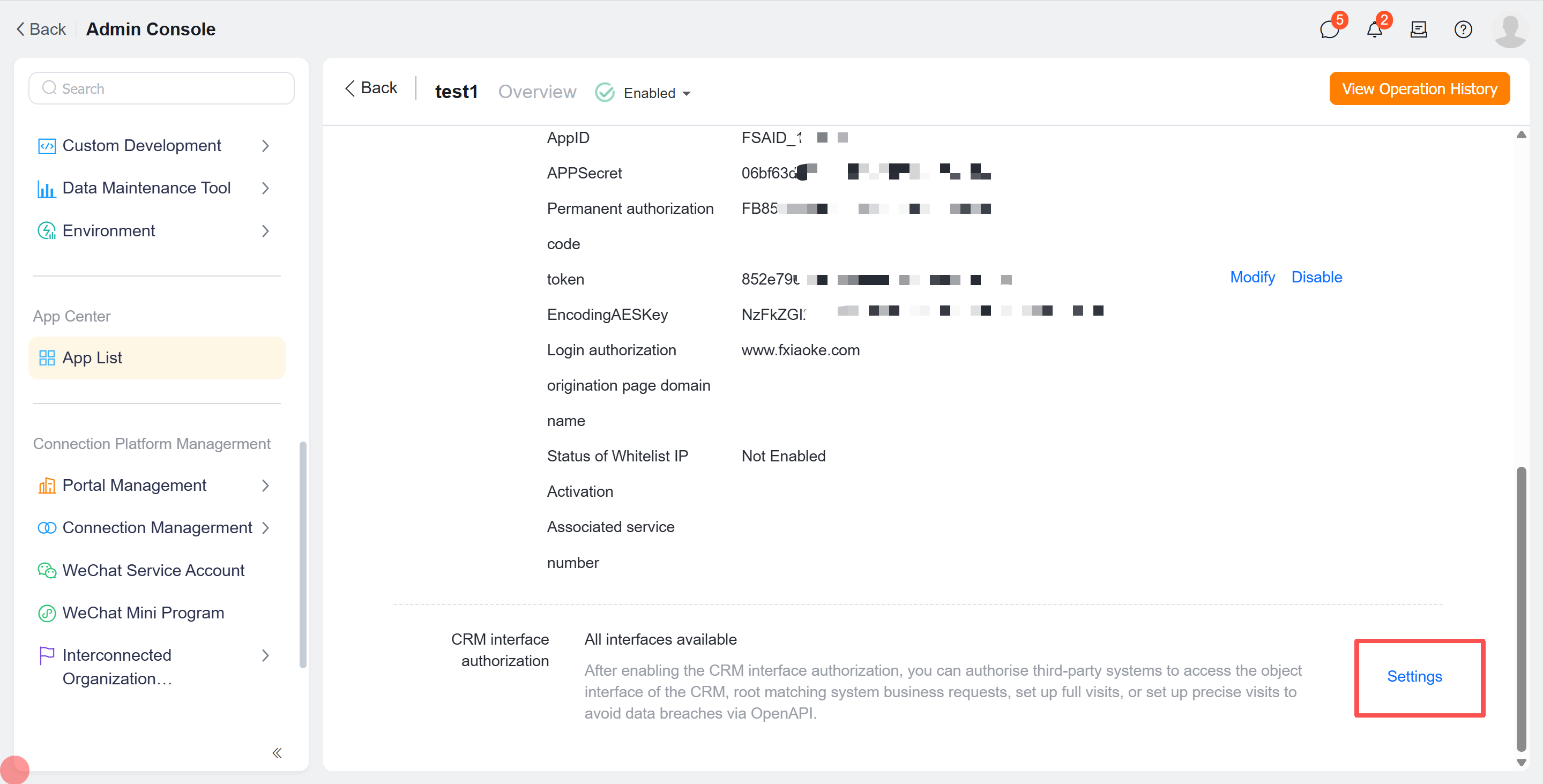
# 4.4 CRM API Access Permission Settings
All APIs are enabled by default. For data security, we recommend configuring precise access scopes.
# Step 2: Obtain Access Token
Acquire an access token as the authentication credential. Refer to: OAuth Authentication
# Step 3: Call APIs
You may now call Fxiaoke Open Platform APIs according to your requirements. When developing integration programs, strictly follow the API documentation for parameter passing. For API debugging, see API Call Examples.
# Notes
For unfamiliarity with field retrieval or parameter configuration, we recommend reading Parameter Configuration Guide first.
For other issues, please refer to FAQ.