
Configuration Steps
This capability is currently in beta testing. To experience it, you need to apply through the beta access application.
# I. Check-in/Check-out Validation
# 1. Configuration Method
Enable it in Field Work Type - Global Settings, then select either an existing APL class or create a new one for implementation. You must explicitly check the nodes where the function should be applied. If unchecked, the function won't execute even if the corresponding node methods are implemented!!!
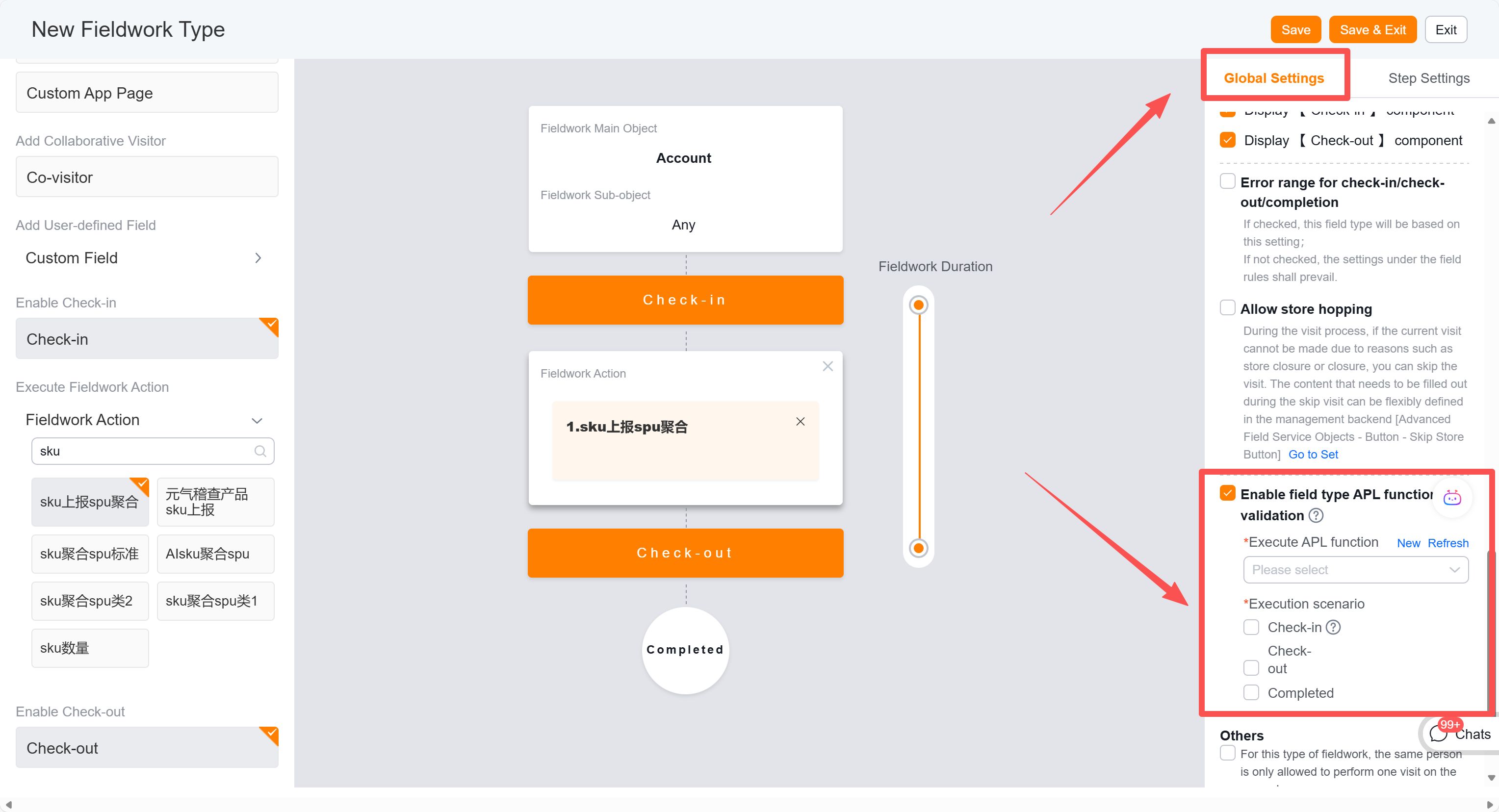
Note: If the function still doesn't execute after proper configuration, check the execution logs in the backend for potential errors. By default, the system won't intercept executions if the function itself contains errors.
# 2. APL Class Specification
Create a new class either in the type configuration or through APL backend management. Select the "Field Work Type Validation" namespace and complete all required fields.
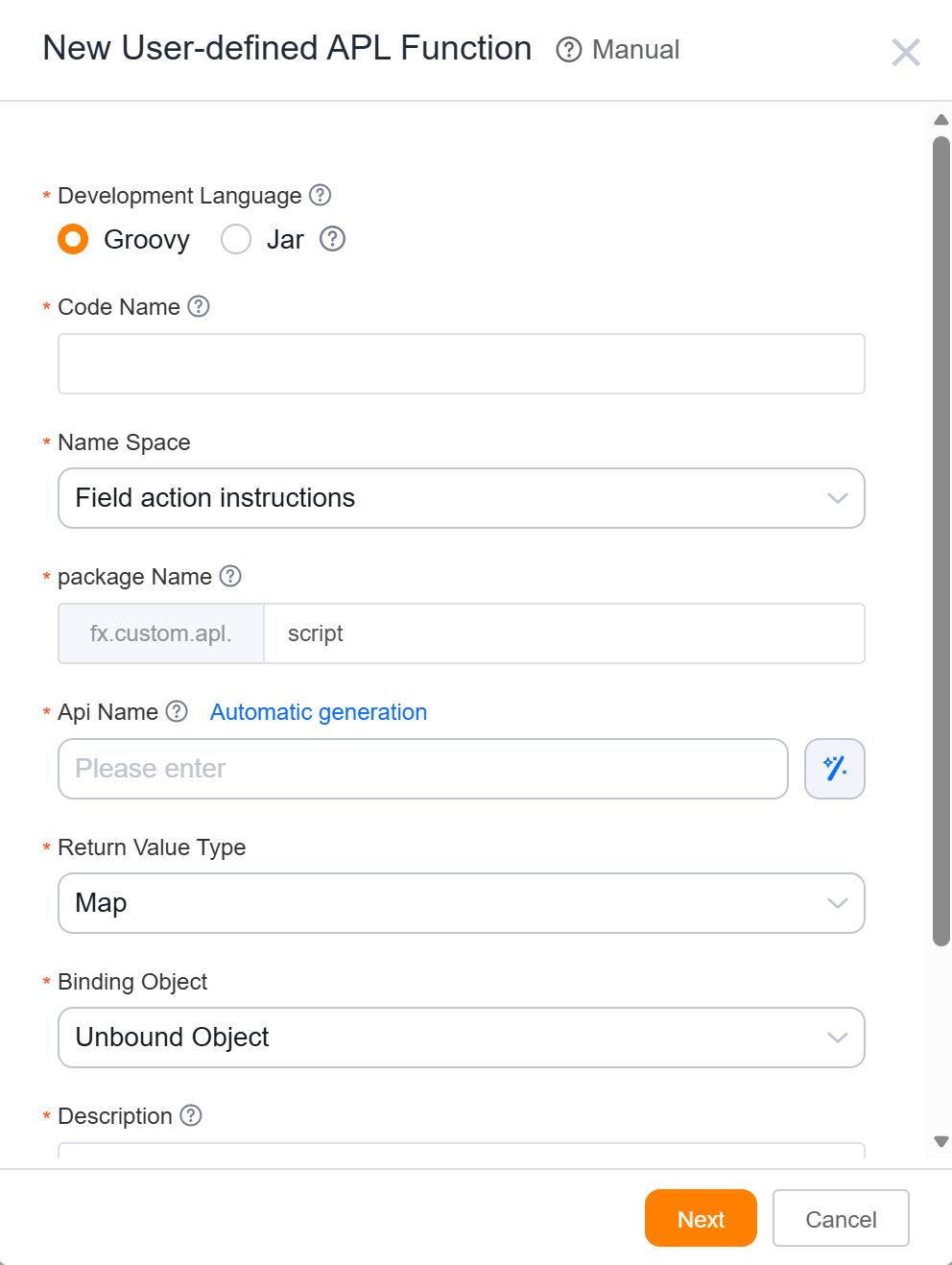
Currently, there's no pre-built template. You can either:
- Use the empty template (contains detailed instructions)
- Select any historically created template from your enterprise
The class contains three methods corresponding to three workflow nodes:
beforeCheckin(check-in)beforeCheckout(check-out)beforeCheckFinish(completion)
All methods share identical input parameters and return types. Implement different validation logic in each method to determine whether to block the operation.
Input Parameters (Caution: Most location fields are unreliable except coordinates):
class Arg implements Serializable {
    private String checkId; // Field work record ID
    private String mainObjApiName; // Associated main object API name
    private String mainObjDataId; // Associated main object ID
    private String checkTypeId; // Field work type ID
    private String userId; // User ID
    private Map<String, Object> checkinMap; // Field work related fields (requires latest terminal version)
}

/**
 * All fields in checkinMap
 */
class CheckinMap {
    private String locationInfo; // Current terminal location (available from v895+)
    private String checkinsLon; // Longitude (reliable)
    private String checkinsLat; // Latitude (reliable)
    private String checkinsAddressCountry; // Country (may be empty)
    private String checkinsAddressProvince; // Province (unreliable)
    private String checkinsAddressCity; // City (unreliable)
    private String checkinsAddressStreetNum; // Street number (unreliable)
    private String checkinsAddressStreet; // Street name (unreliable)
    private String checkinsAddressDesc; // Detailed address (unreliable)
    private List<Object> referenceObject; // Child objects (available from v905+)
}
Return Value:
class Result implements Serializable {
    private boolean success; // Whether validation passed
    private boolean block; // Whether to block when validation fails
    private String title; // Alert title when blocked
    private String message; // Alert message when blocked
}
# 3. Basic Example
The empty template can be used directly without additional logic:
- Check-in: Always passes validation
- Check-out: Fails validation but doesn't block
- Completion: Fails validation and blocks
The checkTypeId parameter helps distinguish logic when using one function for multiple work types. If creating separate functions per type, this parameter becomes unnecessary.
See Groovy code example for implementation details.