Fxiaoke Developer Manual Fxiaoke Developer Manual
  • APL Development Manual
  • PWC Development Manual
  • OpenAPI Documentation
APL Code Introduction
API Reference
Development Tools
Release Notes
  • 简体中文
  • English
APL Code Introduction
API Reference
Development Tools
Release Notes
  • 简体中文
  • English
  • Getting Started

  • APL Function Open Scenarios

  • APL Class Open Scenarios

    • Common Library

    • Electronic Signature

    • Authentication Provider

    • Available Business Types

    • Object Controller Plugin

    • Event Listener

    • Object Export Plugin

    • ERP Integration Platform

    • Field Service Type Function Validation

    • FMCG Order Business Plugin

      • 1.Overview
      • 2.Configuration Steps
        • I. Create Function
        • II. Field Operation - Field Action - Order Action - Bind Function
        • III. Order Designer Plugin 【Effect Showcase】
      • 3.Groovy Code Examples
      • 4.FAQ
    • Object Business Handler

    • Online Documentation

    • Custom Model

    • Environment Deployment

Table of Contents

Configuration Steps

# I. Create Function

# 1. Entry Point

【Custom Development Platform】-【Custom APL Code】
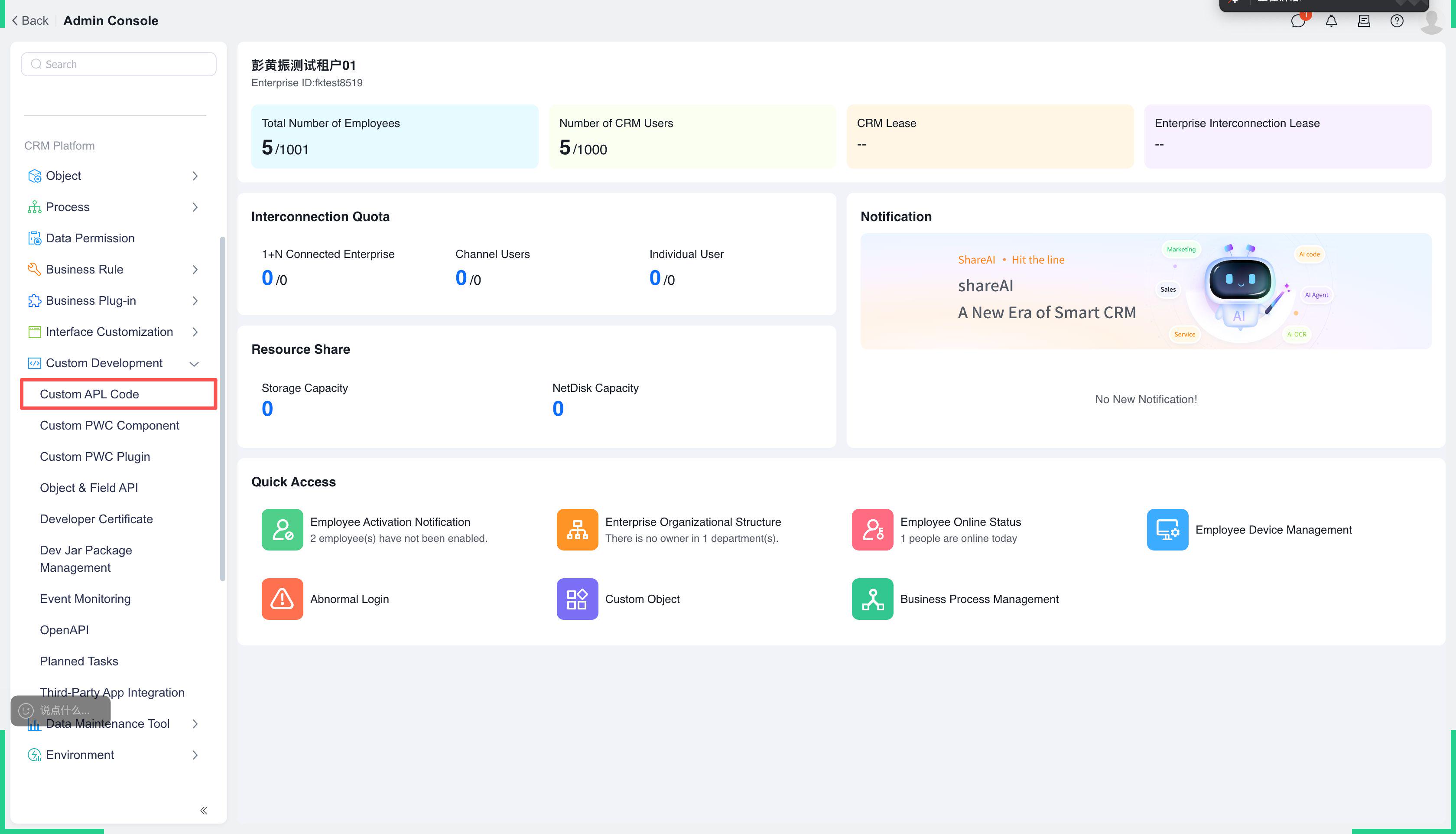
img

# 2. Create a new custom APL class and select namespace 【FMCG Order Business Plugin】
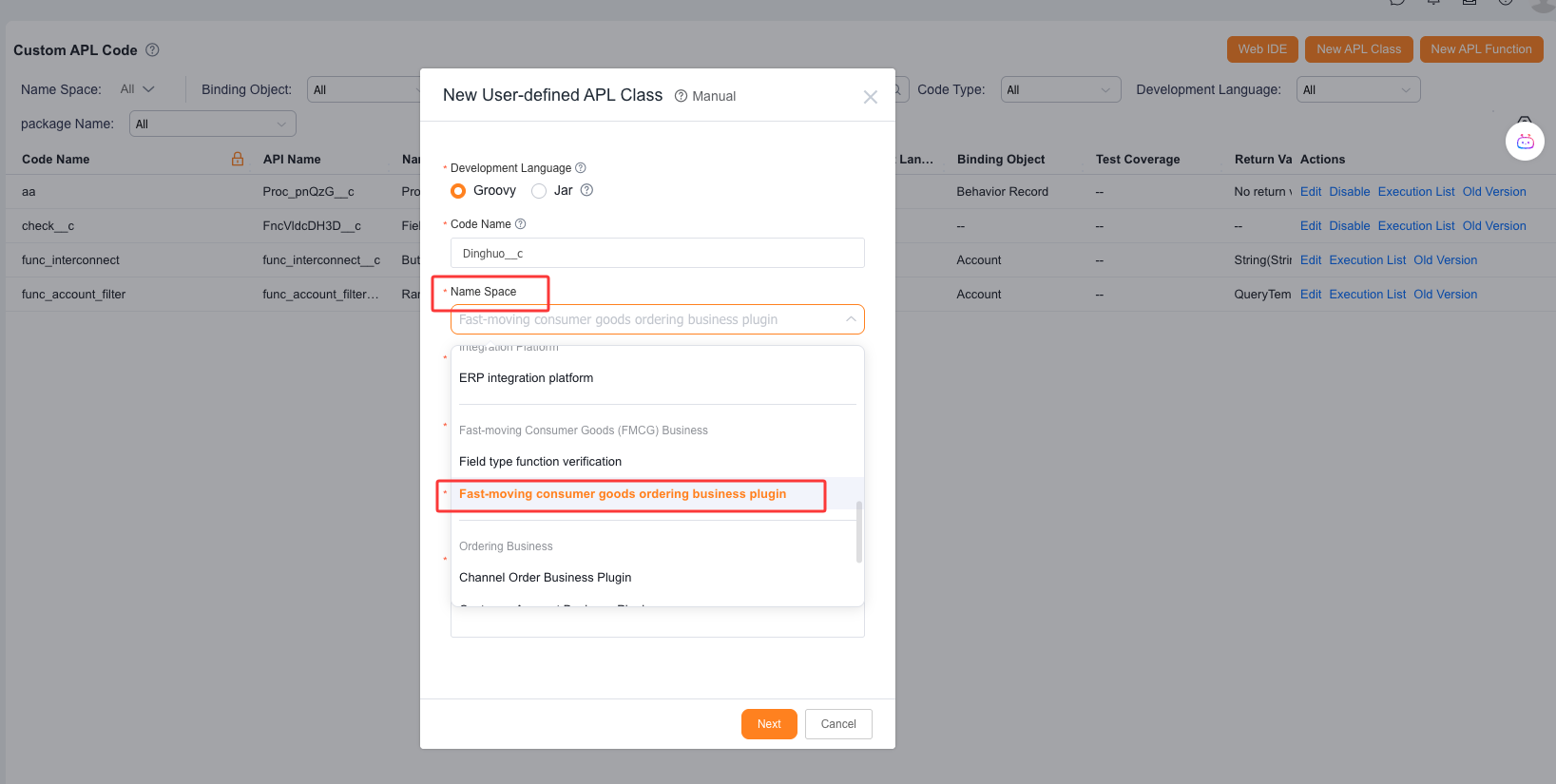
img

# 3. The development team has pre-written function templates. Implementation personnel only need to modify specific functions according to the comments.
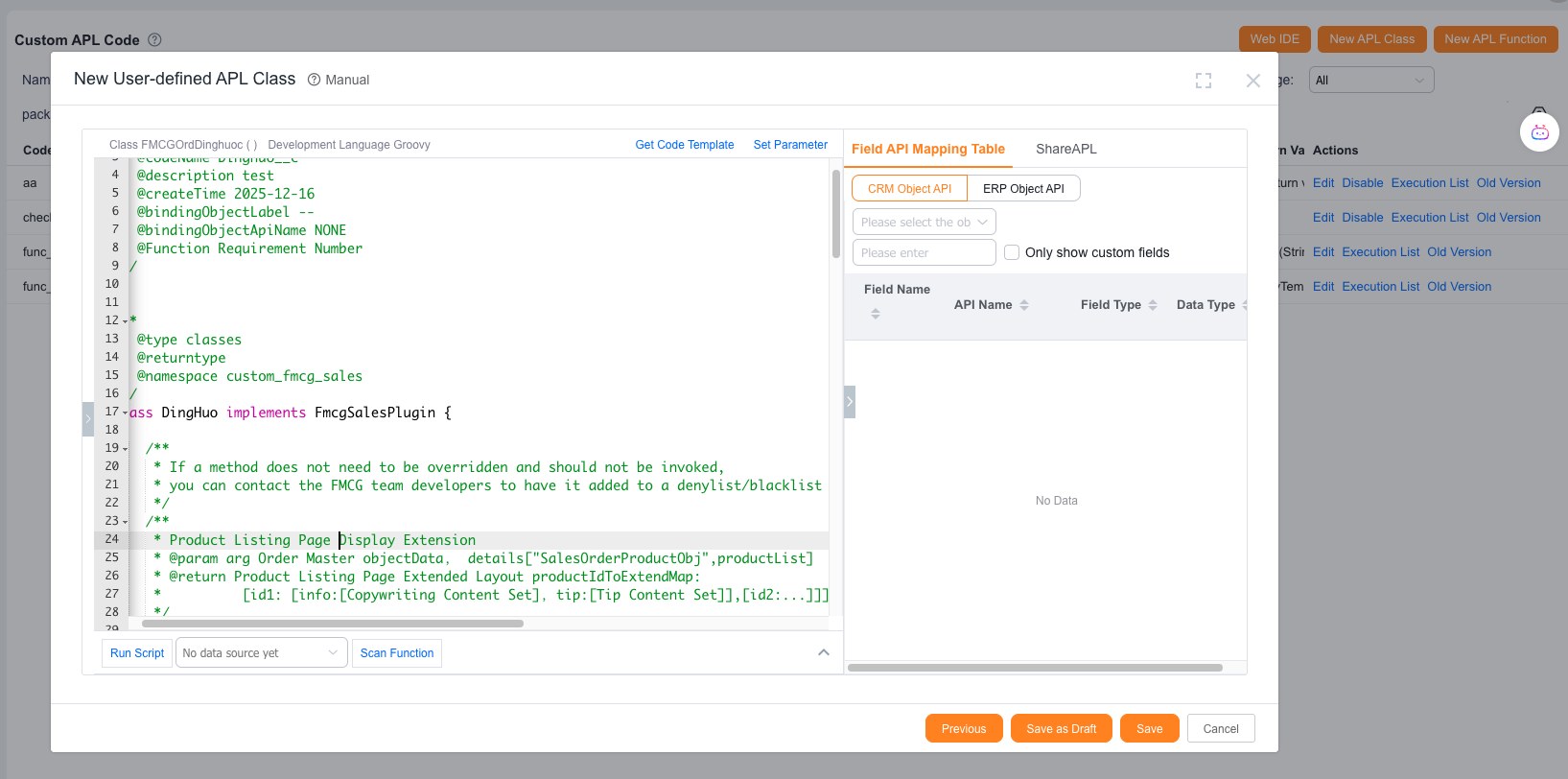
img

# II. Field Operation - Field Action - Order Action - Bind Function

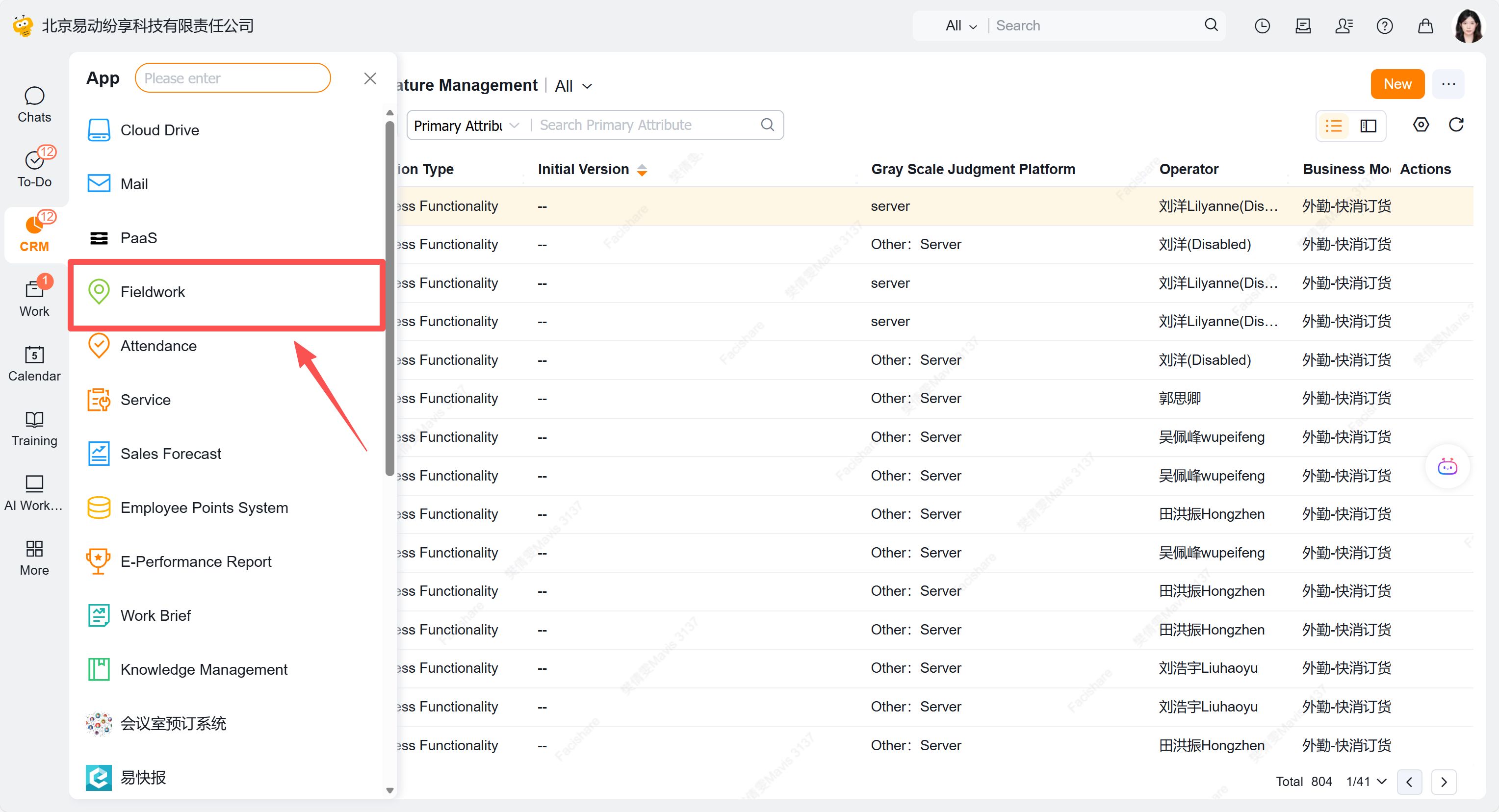
# 1. Entry Point

【More】-【Field Operations】
img

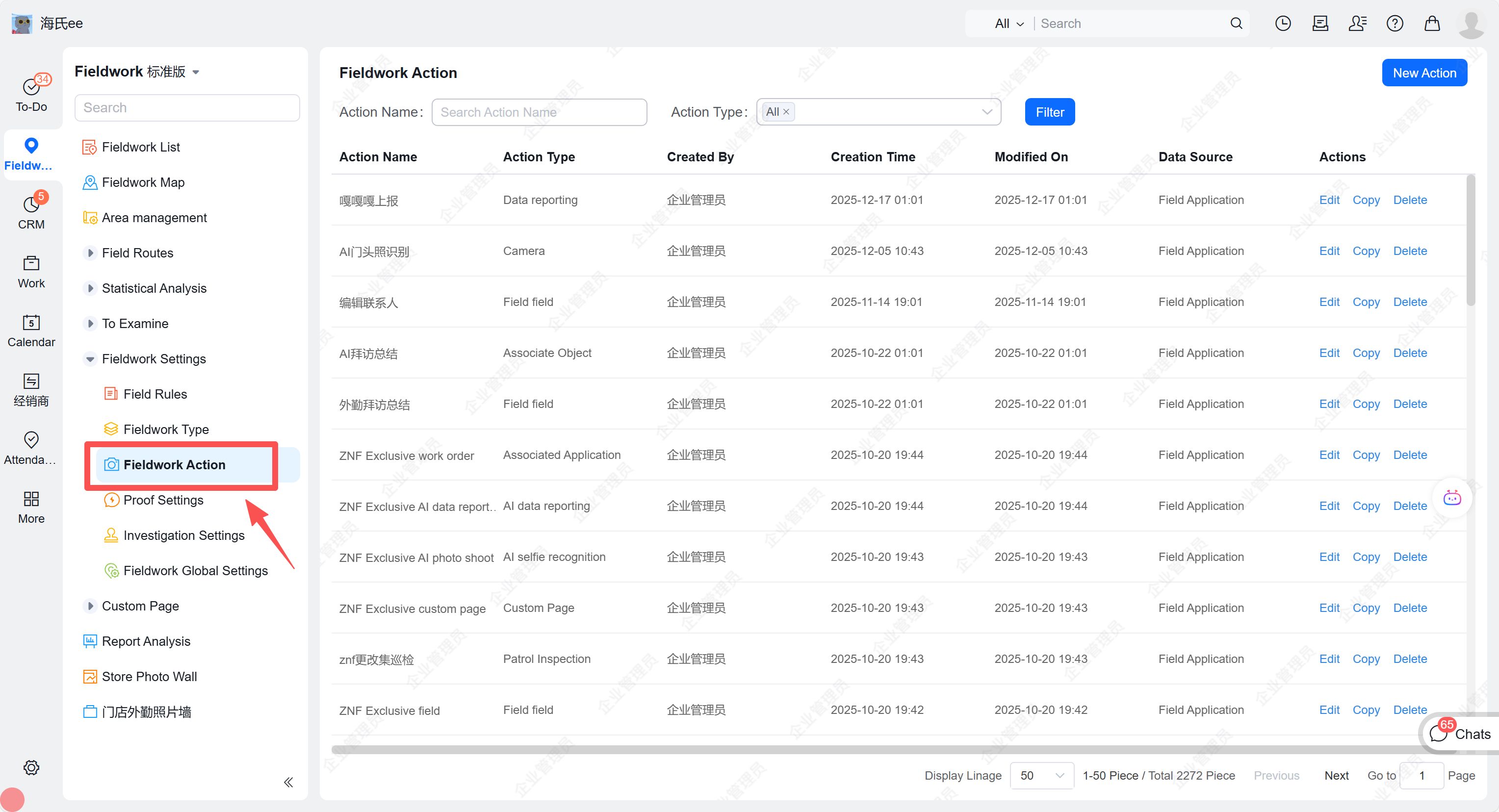
# 2. Click 【Field Settings】-【Field Actions】
img

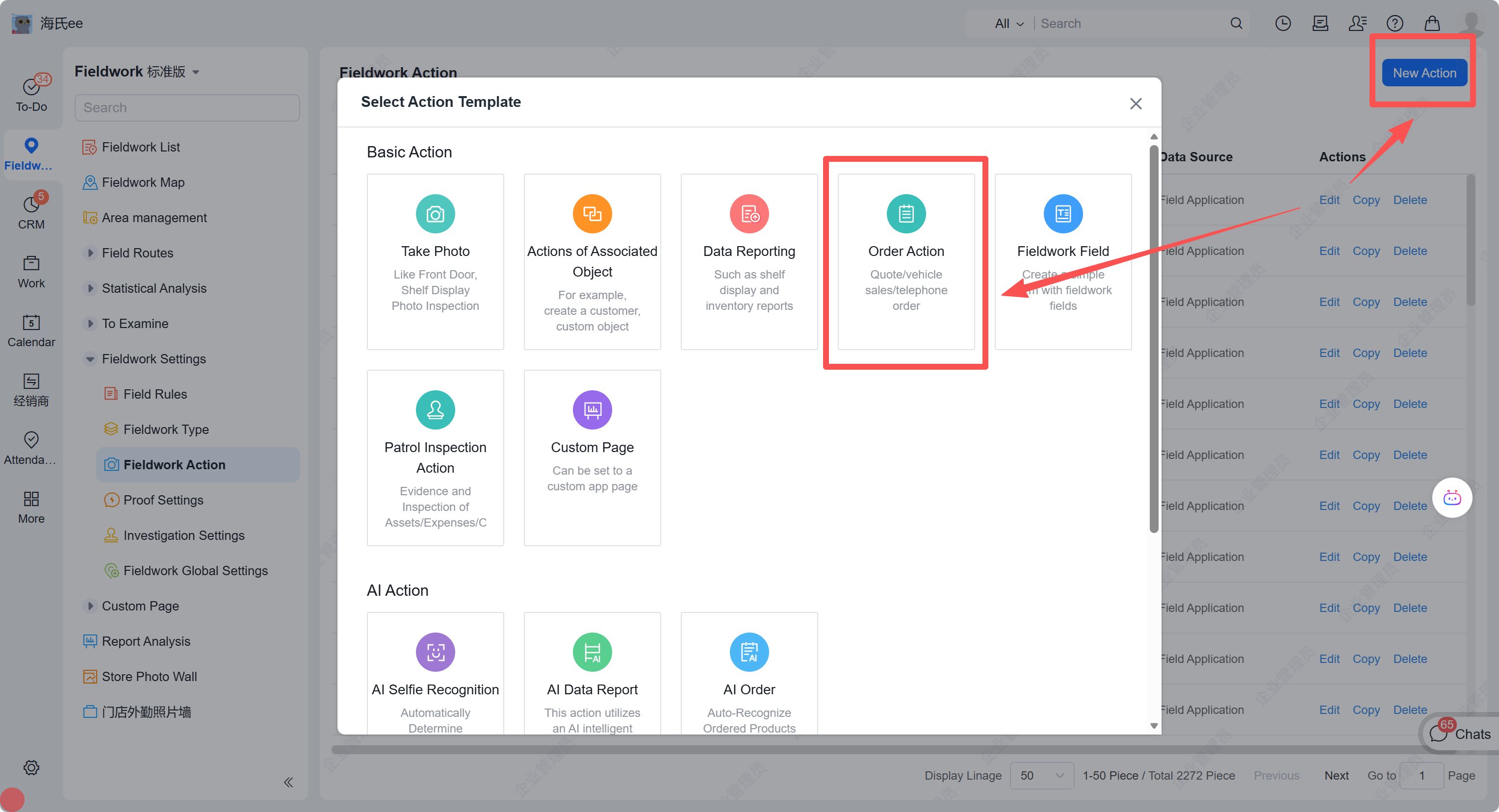
# 3. Click "New Action" to create 【Order Action】
img

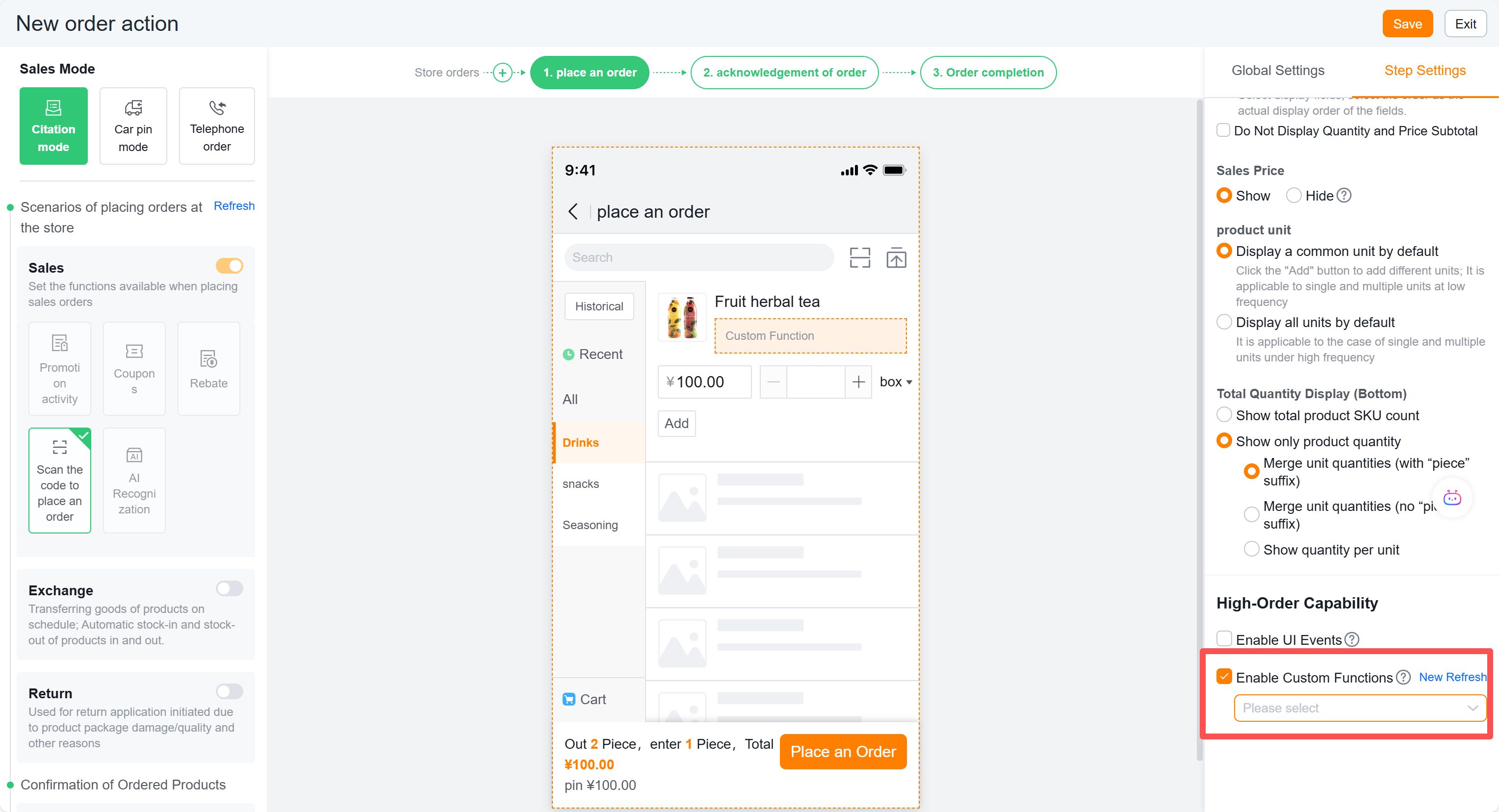
# 4. To utilize list page or data submission capabilities, select the specified function in the "Advanced Capabilities" section of the order action.
img

# 5. To add custom pages while controlling conditional skips, configure as follows and select the specified function.
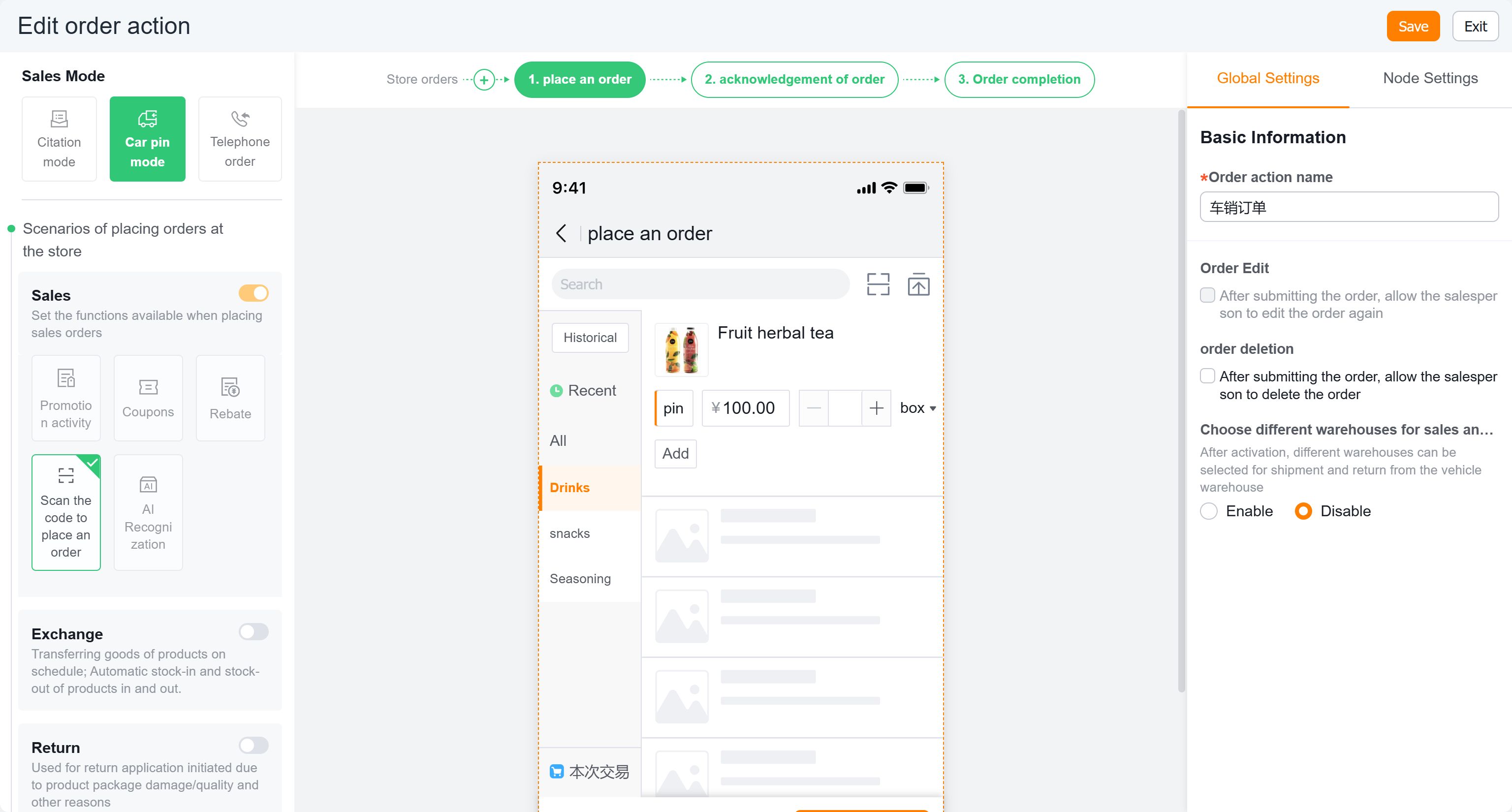
img

# III. Order Designer Plugin 【Effect Showcase】

# 1. Effect 1

Order Page - Conveniently modify text content (factory, specifications, remarks, suggested minimum order quantity, etc.) and colors.

Before modification:
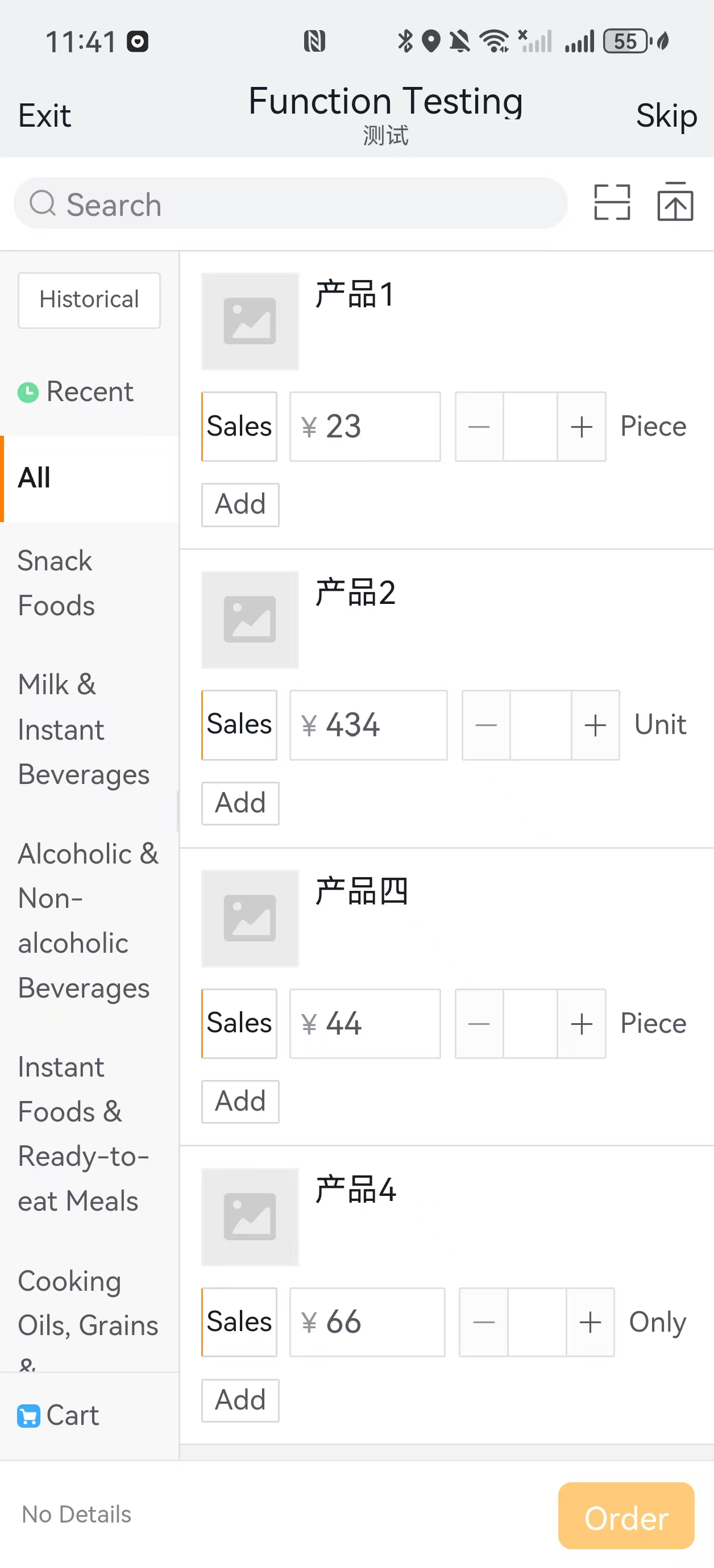
img

After modification:

img

# 2. Effect 2

Order Confirmation Page - Orders are split by manufacturer with nearest delivery date displayed.

Before modification:
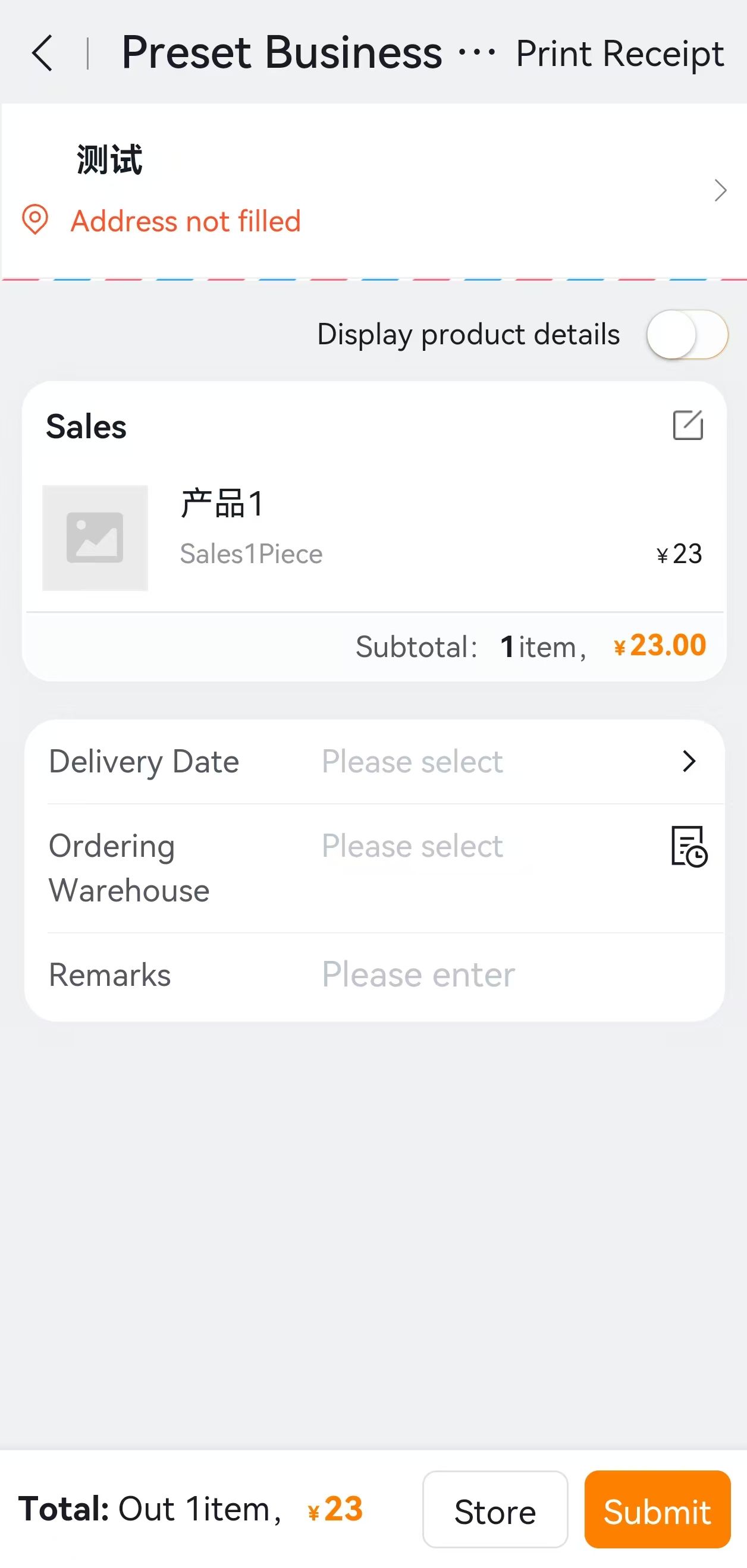
img

1.Overview
3.Groovy Code Examples

← 1.Overview 3.Groovy Code Examples→

  • 跟随系统
  • 浅色模式
  • 深色模式
  • 阅读模式